The Best Apps for Seniors in 2026
 |
February 24, 2026
|
|
February 24, 2026
|
We love smartphones for their advanced cameras, voice assistants, and web-browsing capabilities, but the ultimate utility of smartphones lies with apps.
Even among older adults, smartphone use continues to rise. As of 2025, 78% of adults ages 65 and older own a smartphone, up from just 61% in 2020.1
Whether you’re looking to track your fitness goals, save money at the pharmacy, or remember where you parked your car, there’s an app for that. And many of them are free! In this guide, we’ll walk through our favorite apps on both Android and Apple devices. If you want to manage your health, keep in touch with loved ones, or just stay entertained, these apps will be right at home on your phone.
Tired of overpaying for your monthly cell phone bill? Read our guide to the best deals on senior phone plans.
Cell Phone Plans for Seniors
If you’re using apps, you may need a phone plan with ample data. These three providers offer discounted plans for seniors with unlimited data, allowing you to browse social media, stream music and access the internet for a low monthly price.



Health and Wellness Apps for Seniors
Insight Timer
Availability: iPhone and Android
Cost: Free to download; $60 per year for a paid membership
Overview
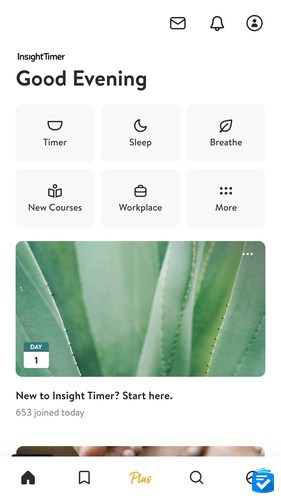
Insight Timer, a popular meditation app, provides a whole host of guided exercises that help beginners and experts alike.
You’ll find everything from five-minute breathing exercises to full yoga sessions. The app lets you choose from different meditation bells and set your preferred session length. We particularly enjoyed the live yoga classes and sleep stories that help you unwind at bedtime.
The free version gives you plenty to work with, but if you want access to specialized courses and workshops, the premium membership costs $60 per year.
Medisafe
Availability: iPhone and Android
Cost: Free to download; premium subscription starting at $4.99 per month or $39.99 per year
Overview
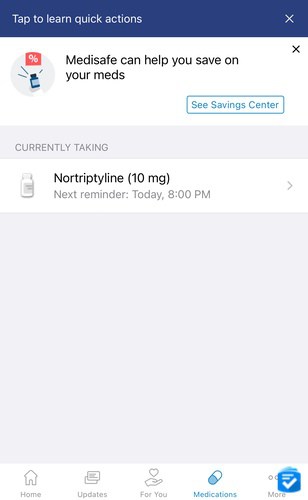
For many of us, age comes with additional prescription medications. Nearly 70% of U.S. adults take at least one prescription medication, and more than 22% take five or more.2
As those prescriptions pile up, it can become challenging to manage them all. That's where Medisafe comes in.
>>Read more: The Best Automatic Medication Dispensers
Medisafe acts like a personal medication assistant, sending you reminders exactly when it’s time to take each pill. In addition to our medications, we used the app to track other health indicators such as weight, cholesterol level, and heart rate, integrating the app with our Apple Watches.
If you take medications from multiple health-care providers, you’ll appreciate that the app tells you about potentially harmful drug interactions. Plus, when we ran out of prescriptions, the app notified us to get refills, making it easy to stay on top of our medications.
Medisafe is free, but there is also a paid option that removes in-app ads and throws in extra health-tracking features. The paid version costs $4.99 per month or $39.99 per year.
GoodRx
Availability: iPhone and Android
Cost: $9.99 per month (free for members and guests)
Overview
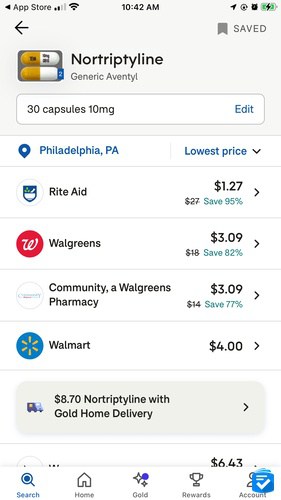
Prescription drug prices remain a significant concern for many Americans. Luckily, GoodRx can help you pay less for medications.
With GoodRx, you can look up your medications, view their pricing at local pharmacies, and receive a coupon to obtain a discount. In many cases, we found that discounted prices with GoodRx were even lower than they would be with our insurance. Best of all? The app is completely free to use!
If you pay for GoodRx Gold, the premium service, you’ll gain access to additional pharmacies and prescriptions. In our experience, however, the free version is more than enough. To learn more about the premium membership features, read our full GoodRx review.
Fitness and Exercise Apps for Seniors
SilverSneakers GO
Availability: iPhone and Android
Cost: Free to download for eligible Medicare Advantage and Medigap beneficiaries
Staying active becomes more important as we age, but figuring out where to start can feel overwhelming. SilverSneakers GO takes the guesswork out of exercise by creating personalized workout plans just for you.
The app includes over 200 workout videos designed specifically for older adults, plus it helps you find local gyms and classes. With a SilverSneakers membership, you can often get completely free membership to local gyms.
Many Medicare plans cover it completely free. We recommend contacting your insurance carrier to see if you qualify.
>>Read More: Guide to Medicare Supplement Insurance
MyFitnessPal
Availability: iPhone and Android
Cost: Free to download; $24.99 per month or $99.99 annually for the premium version
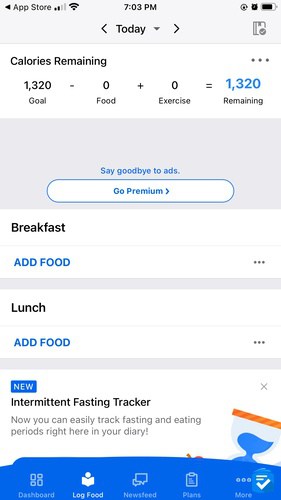
Think of MyFitnessPal as having a nutritionist in your pocket. Tell it your goals, and it will calculate exactly how many calories you should eat each day to reach them.
The app makes tracking surprisingly easy. You just snap photos of your meals or scan barcodes. You’ll see exactly where your calories come from and whether you’re getting enough protein, vitamins and other nutrients.
The free version covers basics such as calorie counting, while the premium adds features such as detailed macro tracking for $24.99 per month. The free version will suffice for most users.
>>Read more: The Best Exercise Equipment for Seniors
Safety Apps
Lively Health and Safety Service
Availability: iPhone and Android
Cost: $24.99 to $34.99 a month
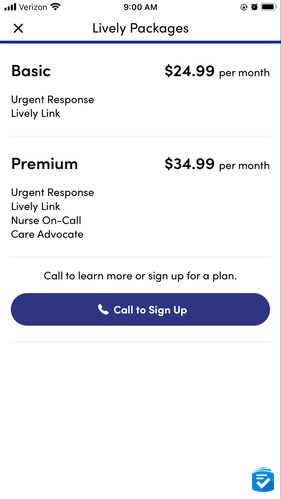
If you’ve ever used a Jitterbug phone, you’re likely familiar with their optional safety features, including urgent response calling. The features can also be downloaded as an app.
When you press the emergency button, trained operators connect you with the help you need, whether it's paramedics, a locksmith, or family members.
Two plans are available: Preferred ($24.99 a month) gives you the emergency button plus automatic family notifications, while Preferred + Health ($34.99 a month) adds 24/7 nurse consultations and a personal health advocate.
To learn more about the various features of Lively, read our guide to Lively phones and plans.
“Find My” Apps
Availability: iPhone and Android
Cost: Free
Overview
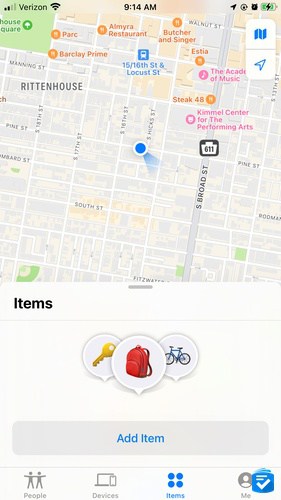
We've all been there — frantically searching for a misplaced phone, keys or wallet. Find My (iPhone) and Google Find My Device (Android) end that frustration by showing you exactly where your items are on a map.
The apps work even when your device battery dies, and they can make your lost items beep loudly. iPhone users can also track AirTags, which are small Bluetooth trackers perfect for attaching to keys, wallets, or anything else you tend to misplace.
1Password
Availability: iPhone and Android
Cost: $2.99 per month (billed annually)
Overview
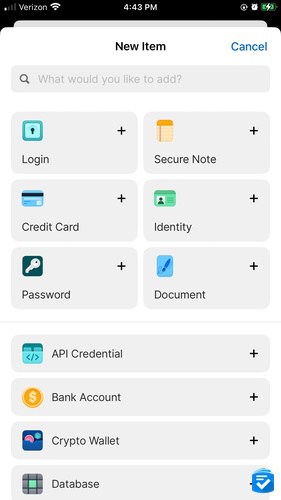
With so many apps and accounts that we use regularly, it can be difficult to commit all those passwords to memory! 1Password remembers all your passwords so you don't have to, and it automatically fills them in when you need them.
The app also creates super-secure passwords for new accounts and safely stores your credit card information. After a 14-day free trial, plans run $2.99 per month for individuals (billed annually) — a small price for never having to remember another password.
Communication Apps
Availability: iPhone and Android
Cost: Free
Overview
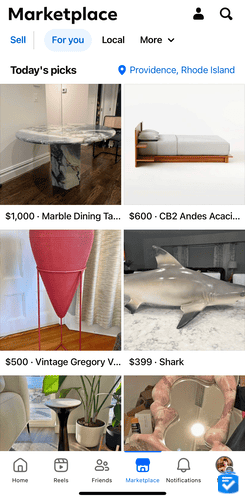
Love it or hate it, Facebook remains the most popular social media platform for seniors. About 60% of people 65 and older use Facebook3 to stay connected. Beyond keeping up with family photos, you'll find local community forums, Marketplace deals (our personal favorite), and original programming.
Facebook Messenger makes it easy to chat directly with friends and family, while Facebook Groups helps you connect with people who share your interests, from gardening to book clubs.
FaceTime/Google Duo
Availability: iPhone or Android
Cost: Free
Overview

Sometimes a phone call just isn’t enough; you want to see the person you’re talking to. FaceTime (iPhone) and Google Duo (Android) make video chatting as easy as making a regular call, with crystal-clear picture and sound quality.
The apps proved invaluable during the pandemic, when families couldn’t visit in person. The picture-in-picture feature even lets you browse other apps while staying connected with your loved ones.
Entertainment Apps
Seek by iNaturalist
Availability: iPhone and Android
Cost: Free
Overview
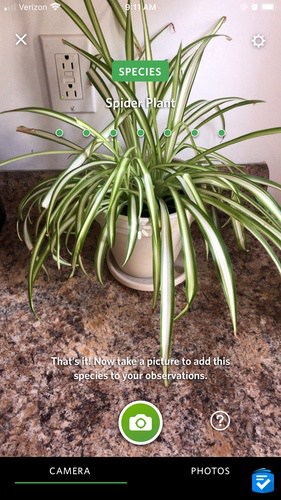
Ever wonder what type of bird is singing in your backyard or what kind of flower is blooming in your garden? Seek uses artificial intelligence to identify plants and animals from your photos. Whether you’re looking at a common grackle or a musa basjoo, the app will identify the organism.
The app turns nature walks into treasure hunts, with challenges such as finding three different birds or identifying local wildflowers. Your observations even contribute to a global database that helps scientists track wildlife populations.
Audible
Availability: iPhone and Android
Cost: Free for 30 days, then $14.95 a month for Audible Premium Plus
Overview
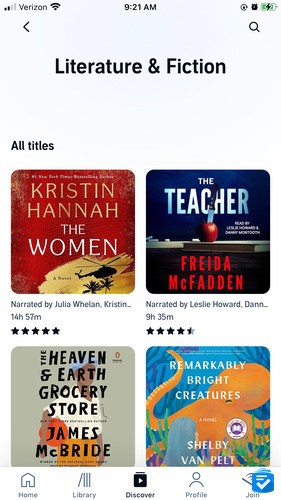
Whether your eyes get tired from reading or you just prefer listening to stories, Audible brings thousands of books to life through professional narrators. The service works perfectly for long car trips or relaxing evenings at home.
For $14.95 per month, Audible Premium Plus, you can enjoy unlimited access to the Audible Plus catalog of audiobooks, podcasts, and Audible Originals, along with one credit per month to choose any premium title. Many books feature celebrity narrators, and the service offers great alternatives for anyone with vision difficulties.
Words With Friends
Availability: iPhone and Android
Cost: Free to download, with various optional in-app purchases
Overview
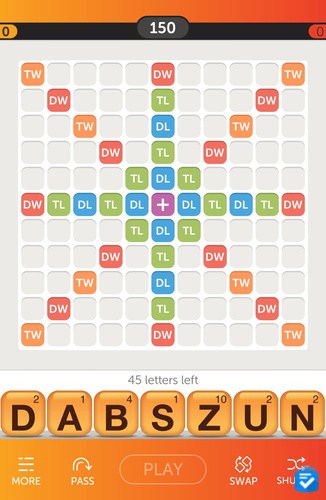
If you enjoyed Scrabble growing up, you’ll love Words With Friends. This digital version lets you play with friends and family members anywhere in the world, taking turns whenever it’s convenient.
The app includes fun events and challenges beyond the basic game. With millions of active players worldwide, it has clearly struck a chord with word-game enthusiasts. The basic game is free, but you can buy extra features if you want.
MarineTraffic — Ship Tracking
Availability: iPhone and Android
Cost: Free to download; premium subscriptions starting at $9.99 per month
Overview
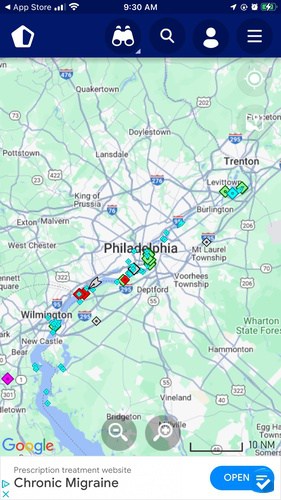
For anyone fascinated by ships and maritime traffic, MarineTraffic shows you exactly where vessels are around the world in real time. Whether you’re at the beach watching cargo ships or just curious about ocean traffic, the app will satisfy your curiosity.
The free version covers the basics, while premium features add detailed weather and ocean current data.
Google Earth
Availability: iPhone and Android
Cost: Free
Overview

Google Earth lets you explore the entire world from your armchair. Want to see your childhood home from above? Check out the pyramids in Egypt? Visit places you’ve always dreamed of going? The app makes it all possible with stunning satellite imagery and 3D views.
The app includes detailed information about landmarks and locations, making it perfect for armchair travel or planning real trips.
Transportation Apps
GasBuddy
Availability: iPhone and Android
Cost: Free to download; optional Premium membership at $9.99 per month
Overview
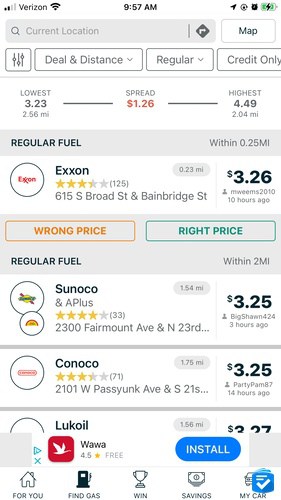
Gas prices change constantly, sometimes varying by 50 cents per gallon within a few miles. GasBuddy shows you exactly which stations offer the cheapest fuel near you, potentially saving you hundreds of dollars per year.
Just enter your ZIP code and the app will display nearby stations sorted by price. The optional gas card can multiply your savings, and with over 100 million downloads, it's clearly helping people save real money.
>>Read more: The Ultimate List of Senior Discounts
Uber
Availability: iPhone and Android
Cost: Free to download, but each ride costs a variable amount
Overview
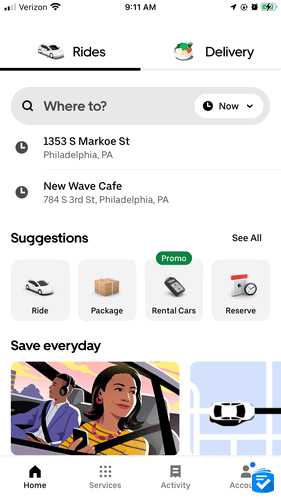
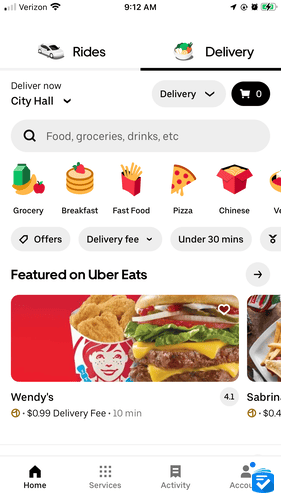
For older adults who no longer feel comfortable driving or don’t own a car, Uber provides safe, reliable transportation at the touch of a button. Simply enter your destination, choose your preferred vehicle type and track your driver’s arrival in real time.
Pricing varies based on distance and demand, but there’s no membership fee. You pay only for rides you actually take. Many older adults find it much more convenient and affordable than owning a car.
Education Apps
Duolingo
Availability: iPhone and Android
Cost: Free to download; optional in-app purchases
Overview
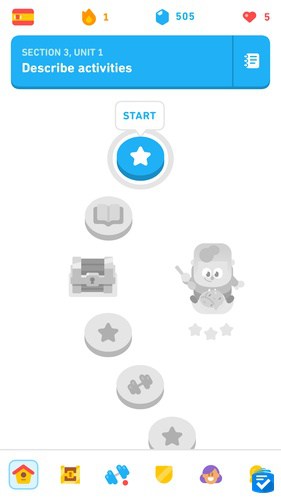
Always wanted to learn a new language? Duolingo makes it feel more like playing a game than studying. Choose from over 40 languages, including Spanish, French, Hawaiian, and even Klingon.
Set daily practice goals from five to 30 minutes, and the app sends gentle reminders to keep you on track. The free version provides excellent language learning, while the premium version removes ads and offers extra practice opportunities.
Dating Apps for Seniors
eHarmony
Availability: iPhone and Android
Cost: Free to download; starting at approximately $35.90 per month for premium features (pricing varies by plan length)
Overview
Online dating doesn’t have to mean endless shallow swiping. eHarmony focuses on meaningful compatibility through detailed personality questionnaires, making it popular with older adults seeking serious relationships.
The platform has built a strong reputation among older adults, with many users over 50 finding success through its compatibility-based matching system. Its pricing is a bit high, but we've heard of many success stories from the app, making it one of our favorite dating sites for seniors.
Learn more in our in-depth eHarmony Review.
Hinge
Availability: iPhone and Android
Cost: Free to download
Overview
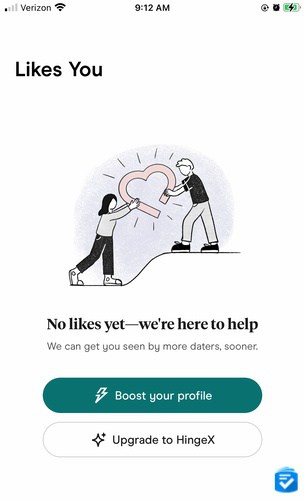
Hinge calls itself “the dating app designed to be deleted” because it focuses on helping people find lasting relationships. Instead of just photos, profiles include conversation starters such as “my most controversial opinion” that help you get to know someone’s personality.
In our experience, Hinge works well for free, although premium features such as unlimited matches are available if you want extra visibility.
How to Simplify an iPhone for Seniors
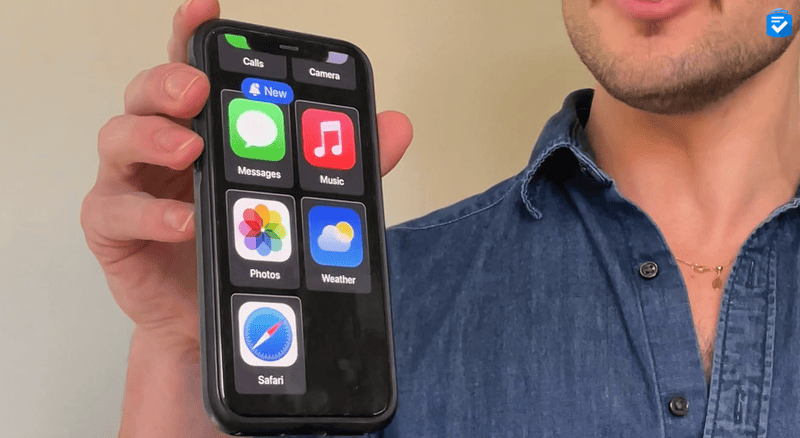
Many people appreciate the various features of iPhones, but for some users the features can make the phones too complicated to use. With Assistive Access mode, you can enlarge home-screen icons, simplify the layouts of various apps, and even limit which features a user can access.
Assistive Access turns your iPhone into a senior-friendly device similar to the Jitterbug Smart4, a smartphone designed specifically for seniors. It’s a great way to enjoy all the features of an iPhone, from FaceTime to Apple Podcasts to Face ID, without sacrificing accessibility.
To learn more about the feature, read our guide to Assistive Access: iPhone Senior Mode.
How to Simplify an Android Phone for Seniors
Android phones don’t have an exact equivalent to Assistive Access, but launchers can dramatically simplify your phone’s interface. The special apps change how your home screen looks and works.
Launchers like Elder Launcher or Big Launcher are particularly good for seniors, because they make app icons bigger and remove clutter from your home screen. Download one from the Google Play Store, install it, and follow the setup instructions to create a cleaner, easier-to-use phone interface.
Which is Better for Seniors: Android or iPhone?
Both work well for seniors, but they have different strengths.
iPhones offer a more consistent experience across all models and include helpful features such as Assistive Access. They tend to cost more but provide excellent customer support and regular software updates.
Android phones come in more varieties and price ranges, from budget-friendly options to premium models. They offer more customization, but they can be more complex to navigate. Learn more about our favorite Android phones for seniors.
Our advice: Try both at a store and see which feels more comfortable in your hands. The best phone is the one you’ll actually enjoy using.
Frequently Asked Questions
-
What are some free apps that can entertain seniors?
Google Earth, MarineTraffic, Seek by iNaturalist, and Words With Friends all provide hours of free entertainment without any subscription fees.
-
Which has better apps for seniors — Android or iPhone?
Both platforms offer similar apps, but iPhone’s Assistive Access feature creates simplified interfaces specifically designed for older adults, giving it a slight edge for seniors new to smartphones.
-
What are the best dating apps for seniors?
The most popular options include eHarmony and Match.com for serious relationships, plus OurTime, SilverSingles, and Stitch for those seeking connections within the 50-plus community.