Alexa for Seniors: Using Alexa to Age in Place

 |
November 15, 2025
|
|
November 15, 2025
|
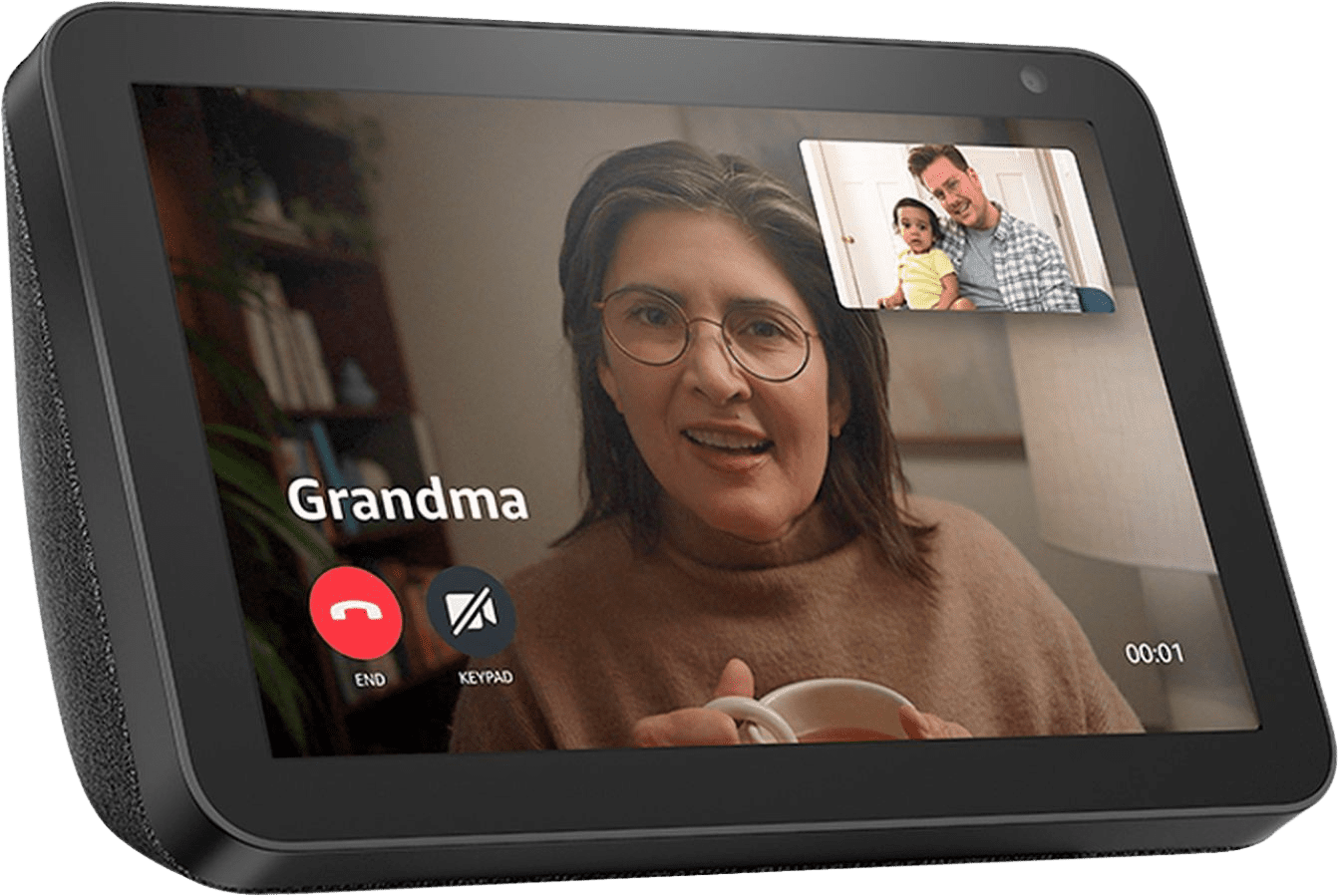
Like most new technologies, Amazon Alexa — a virtual assistant — was initially adopted by younger users; however, this technology has a wide range of uses for older adults. From entertainment features to practical assistance, Alexa can help seniors with a variety of tasks, and the best part is that most of its functions are entirely free, with no Amazon Prime subscription required.
How to Use Alexa
To use Alexa, you’ll want to purchase an Echo device from Amazon. While each of these devices differs slightly in cost, sound quality, and features, they’ll all give you the full range of features accessible through Alexa.
- Echo Dot: The smallest Echo device, the Echo Dot is a compact smart speaker that costs as low as $50.
- Echo Spot: The Echo Spot features a small screen that can display the time, making it ideal for nightstands. It costs about $70.
- Echo Show: With its large screen and camera, the Echo Show can be used to watch videos, make video calls, and utilize Alexa. It costs about $90.
While Amazon offers additional Echo devices, we think these three are the most practical for seniors, and they’ll allow you to utilize any of the features mentioned below.
Once you’ve purchased and set up your Alexa-enabled device, you simply need to say Alexa, followed by any number of commands. Here are some of our favorites.
>> Related Reading: ElliQ AI Companion Robot Review
Create Grocery Lists
With Alexa, you can use your voice to create any type of list. In our experience, this feature is particularly helpful for grocery shopping. To use this feature, you can simply say, Alexa, add sugar and eggs to my shopping list. From there, Alexa will keep a list that you can ask to be recited. Alternatively, if you have a smartphone, the Alexa App can display this list for you. You can even order these groceries directly from Amazon.
Control Your Thermostat
If you have a smart home thermostat like an Ecobee or Google Nest, then you can pair your thermostat with Alexa to utilize voice controls.
For example, you might say:
- Alexa, turn up the thermostat.
- Alexa, adjust the temperature to 70 degrees.
Play Music and Audiobooks
If you have a Spotify account or subscription to Amazon music, then you can use Alexa to play your favorite songs. Similarly, you can use Alexa to play podcasts and audiobooks.
For example, you might say:
- Alexa, play disco music.
- Alexa, play The Beatles.
- Alexa, play Pride and Prejudice by Jane Austen.
Particularly with audiobooks, there is a wide range of public-domain titles, including books by Mark Twain and Jane Austen, that can be played for free.
Make Phone and Video Calls
With any Echo device, you can make phone calls directly to loved ones through Wi-Fi. To do this, you can say: Alexa, call Dad. Your Echo device will automatically pull the phone number from your contact list. If you have an Echo Show device, you can utilize its screen to make video calls in a similar fashion.
Set and Receive Medication Reminders
Medication errors contribute to more than 400,000 emergency department visits annually among older adults, making it important for those with multiple prescriptions to manage their medications carefully.1 With Alexa, you can set reminders so that you'll be reminded to take medications at the precise time you need them. You can even ask Alexa to remind you when a prescription is running low and use the virtual assistant to call your doctor to request a refill.
To set up medication reminders, you must enable the WebMD Med Reminders skill.2 Once you've signed up, you can say, Alexa, add reminder, to create a recurring medication reminder.
Did You Know? Alexa is not the only way to keep track of your medications. To learn more, read our rundown of the best medication dispensers.
Check on the Weather
With any Echo device, you can check on your local forecast by saying, Alexa, what’s the weather for today? In response, Alexa will read you your local forecast. You can also ask her for forecasts in the near future.
Set Timers
Though simple, one of our favorite Alexa features is the ability to set timers. At any point, you can say, Set a timer, and you’ll hear an alarm go off at the stated time, whether it’s in a few minutes or hours. This feature is especially handy when cooking.
Alexa Emergency Assist
While all of the features above are included at no cost — apart from the one-time purchase of an Echo device — Amazon offers a subscription-based service, Alexa Emergency Assist, that can help older adults living alone. Through a combination of medical alert system features as well as notifications for emergency contacts, Alexa Emergency Assist is a great way to keep your loved ones safe in the home.
This service can be paired with any Echo device, and it costs $7.99 per month or $79 for one year.
24/7 Urgent Response
When a user says, Alexa, call for help, their Echo will automatically trigger a call to an emergency monitoring center. Similar to a medical alert bracelet, the monitoring center will communicate with the user, assess the situation, and deploy the proper response, whether this means contacting first responders or a neighbor or loved one.
Additionally, Alexa will send a notification to the caregiver’s smartphone, informing them that an emergency call has been placed. This allows them to stay in the loop of their loved one’s well-being.
Emergency Contact
Alexa Emergency Assist allows up to 25 contacts to connect to a device. Everyone in this circle can place drop-in calls, receive emergency notifications, and add reminders for the Echo device. They’ll also receive alerts in the event that a smoke alarm or carbon monoxide alarm is detected.
If you’re looking for a traditional medical alert system, then check out our rundown of this year’s best medical alert systems.