Identity Theft: How Seniors Can Protect Themselves
 |
December 19, 2025
|
|
December 19, 2025
|
According to the FBI's 2023 Elder Fraud Report, complaints from victims over the age of 60 increased by 14% compared to the previous year. The same report found that older adults lost nearly $3.4 billion in total losses.1
While any age group is susceptible to identity theft, older adults are particularly vulnerable because they often have money saved up, including access to retirement accounts, making them an appealing target for scammers. Often, older people have good credit scores, lucrative investments, and homes in their names.
Identity theft is devastating, draining bank accounts and wrecking credit. Recovering can take hundreds of hours. Fortunately, you can protect yourself. Prevention requires understanding what identity theft is, why seniors are targeted, what information scammers seek, and how to stop malicious schemes.
What Can Criminals Do With Personal Information?
Once criminals obtain your personal information, they often use it to drain bank accounts or otherwise obtain goods or services in your name. They may even use personal information to create counterfeit identification. Criminals may use your personal information to:
- Open a credit card in your name and rack up charges
- Obtain a loan
- File a tax return and intercept the refund check
- Open utility accounts
- Receive medical treatments using your health insurance
- Open a bank account
- Use airline miles or other perks associated with a credit card
- Present your information in the event of arrest
What Is Identity Theft?
Identity theft happens when someone uses your personal information, such as a social security number, credit card number, or address, without permission to commit crimes and access your personal financial accounts.
Oftentimes, identity theft starts with a thief obtaining personal information. This personal information is then used to access financial accounts. This information can include the following:
- Name
- Date of birth
- Street address
- Email address
- Telephone number
- Passport or driver’s license number
- Credit card numbers
- Social security number
- Bank account number
- PIN number
- Passwords
- Fingerprints
- Handwriting samples
- Vehicle VIN or title number
- Employment information
- Medical information
- Photographic images
Individuals may obtain this information by digging through the trash, stealing from mailboxes, sending email phishing scams to collect information, or capitalizing on major data breaches at corporations like banks or credit reporting agencies.
Pro Tip: If an institution you have an account with reports a data breach, immediately change your passwords to protect your identity.
Identity theft can have dire financial consequences. Fraudsters may use your information to steal money directly from a bank account, open a credit card in your name, and even fill out a tax return for a refund check with your information.
Why Seniors Are Vulnerable to Identity Theft
A UCLA study found that seniors may have diminished “gut” responses to signs of untrustworthiness.2 Researchers believe this is partially because older adults grew up in a time where trustworthiness was taught as an important value. This value is something that scammers and criminals tend to prey upon.
Seniors may also be isolated or have memory impairment, which may cause them to be more susceptible to identity theft. Some of these scams may come through phone calls that threaten action from the IRS, which may frighten people into giving up information before they can research a claim or reach out to a loved one for help.
What Can Seniors Do To Prevent Identity Theft?
While identity theft is a real threat, there is much we can do to prevent it from happening. Most precautions can be easily implemented into daily and monthly routines and will go a long way towards protecting your information.
Identity theft protection services provide valuable safeguarding at a cost. For those on a budget, there are a few best practices to protect yourself from identity theft. These services take just a few minutes to enroll in – much less than the average 600 hours it takes to settle accounts and normalize your credit score if your identity is stolen.

Protect Important Documents
Keep important documents such as passports, birth certificates, checkbooks, social security cards, and financial information in a secure location, ideally a safe. If you do not want to keep these documents at home, some banks have safes that customers may use to store important documents and other valuables.
Be Wary of Emails
Adults over 60 reported losses of over half a billion dollars in 2024 alone.3 While the internet is a wonderful tool to stay engaged and connected, it makes people more vulnerable to identity theft. People are not always who they say they are online. Always be suspicious if people reach out urgently, requiring personal information or a money transfer. Do not respond immediately and consult a trusted source to verify claims.
Take Caution When Sharing Information
Be cautious about the information you share. It's a sad fact that people are at risk of identity theft not only from strangers online but also from those they know and trust. Especially vulnerable are older adults who rely on neighbors and loved ones for assistance in their homes.
Seniors can protect themselves by sharing personal information only when necessary and only with individuals they truly trust. If you use social media or dating services, be cautious about the amount of information you share on your public profiles.
Shred Documents
Shred all unnecessary documentation that includes personal information, especially documentation with your date of birth, social security number, signature, medical information, or legal information. Credit offers that come through the mail should also be shredded. It’s important to shred these documents because if you simply throw them out, criminals can find them in your trash and use the information to begin stealing your identity.
Monitor Bank and Credit Statements
If you are the victim of identity theft, there is a chance somebody has made unauthorized withdrawals from your bank account or made transactions with your credit card. Sometimes your bank will flag suspicious activity and send it to you for confirmation, but this is not always the case.
Make sure to carefully review your bank account and credit card statements each month to ensure you recognize all transactions. If you notice anything suspicious, contact your bank immediately to report it and see if you can have the charge reversed.
Be Mindful of Mail
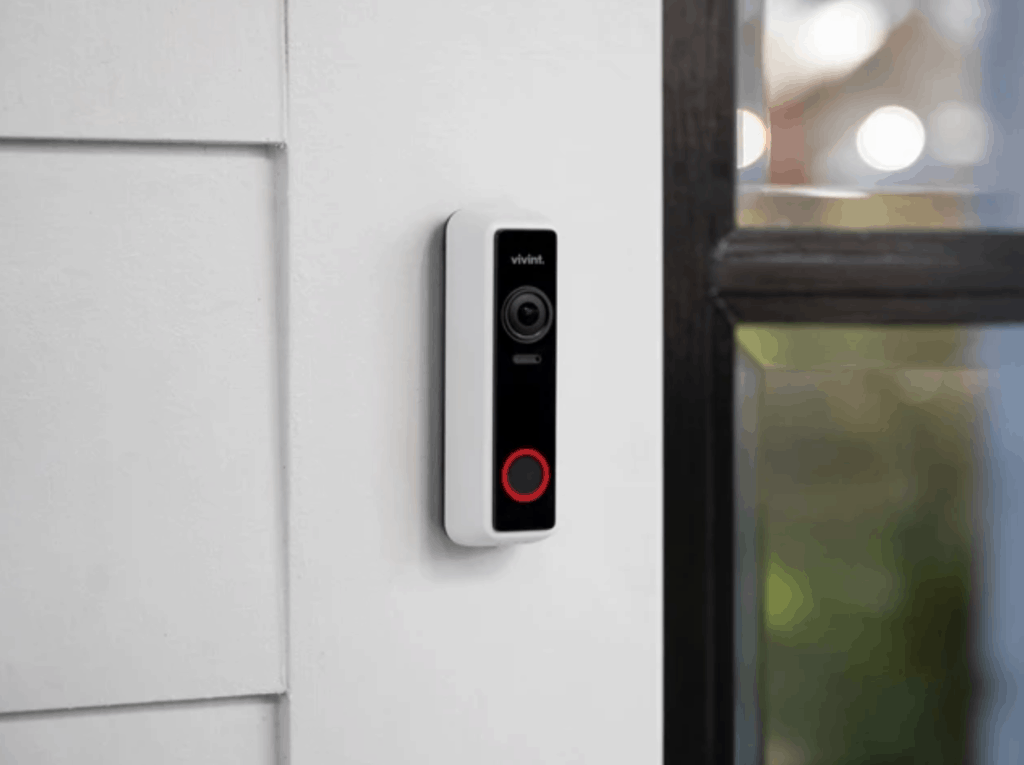
One method of identity theft is stealing mail. Some mail contains sensitive information such as government identification, bank information, tax documentation, and insurance numbers. Make sure your mailbox is secure. You may invest in a home security system to monitor your mail, packages, and property.
Be aware of when the mail comes each day so you can collect it promptly. The post office offers a free service that sends daily emails with photographs of the mail you are to receive that day. Sign up to be aware of what mail you're receiving, so you can report it to the U.S Post Office if it does not come.
How to Spot an Identity Theft Scam
While identity thieves are certainly crafty, there are a few common scams that occur across the country. Here’s how to detect when someone is attempting to steal your personal information.
Identity Theft Over the Phone
Telephone scams or “robocalls” are one of the most prevalent modes of identity theft. Callers obtain your number and call, offering something for free: a vacation, refinancing your mortgage, or elimination of debt, for example. Sometimes these scams even come as threatening messages from the IRS about fabricated back-taxes or a frantic relative that has been kidnapped or needs money. Phone scams can be confusing, irritating, and often frightening, but these tips can help you stay safe:
- If you have caller ID and receive a phone call from a number you do not recognize, let the call go to voicemail. A legitimate caller will leave a detailed and specific message.
- Do not be afraid to hang up if someone suspicious asks for financial information.
- Since the IRS does not demand immediate payment or threaten to involve law enforcement, you can hang up on anyone making such statements.
- Always check with family members or friends to verify their safety before sending an unknown caller money or information.
- Some cellular providers such as T-Mobile offer scam protection included or at an additional price, which may help cut down on unwanted calls.
Pro Tip: Be vigilant of suspicious text messages. According to the FCC, overall losses tied to text message scams hit $470 million in 2024.4
Door-to-Door Scams
Door-to-door scams often come in the disguise of salespeople or those offering home repair services. Sometimes they offer “wellness checks” or voter registration. To avoid falling prey to this scam, you should:
- Never let strangers into your home.
- Do not let these people lure you from your home.
- Do not give identifying information to a salesperson at your door.
- Obtain business cards and verify an organization before handing over payment information.
- Remember that voter registration does not require your Social Security number.
Protecting Your Passwords
It’s important to have a unique and strong password for each online account. A password is useless if it's a very simple phrase like “123456” or “password.” Periodically change your password for heightened security. A good password includes the following attributes:
- A mixture of upper and lowercase letters
- At least one number and symbol
- 8 to 20 characters in length
Did You Know: Want to streamline the process of creating a strong password? Try this free password generator from Security.org.
Check Your Credit Score
Your credit score may plummet if someone is using your information to rack up unpaid bills. Oftentimes, your bank or credit card will send alerts if your credit score has changed, and services like LifeLock can help monitor bank accounts and credit scores. You may also check your own credit score online with no negative impact. This is known as a “soft” inquiry and is a good way to monitor account information and safeguard your accounts.
Cybersecurity Tips for Seniors
Practicing safety online goes a long way toward preventing identity theft and reducing exposure to online scams and predators. Whether it’s through a computer virus or an online dating site, hackers have intricate ways to separate seniors from their personal information.
Securing Access to Accounts
Two-factor authentication is a security measure requiring two types of credentials for access to your account. After you enter a username and password, the website will then ask you to enter a code sent to either your phone, email, or another device to verify that it is you logging into the account. This is the same kind of strong security an ATM uses when it asks for a card and a PIN number.
You can also use a password manager to manage all your logins and generate secure passwords. This is useful for those who have multiple accounts and don't want to remember numerous different passwords; however, there is sometimes a cost associated with password managers.
Stay Vigilant: Check your online account activity often to make sure you recognize all locations accessing your accounts.
Think Before You Click
A “phishing” scam is an attempt to obtain personal information through email. Oftentimes, these emails contain a link with a request to furnish more information. These emails may be disguised as a short-term loan for a too-good-to-be-true payout or as correspondence from a company you already have an account with. While phishing emails can be sophisticated, they can be avoided. Before you click on a link in any email, make sure to:
- Hover over the link to see its destination. If the link is long, complicated, and contains a domain you’ve never heard of, do not click on it.
- Beware of shortened links; this is often a phishing strategy to disguise a link’s destination.
- Check where the email came from. While it may display as a legitimate company, the sender’s address is likely an unknown domain.
- Never allow remote access to your PC or download any files advertised in an unknown email.
If you do click on a phishing link, be sure to change your password, conduct a virus scan of your computer, and report the link to the FTC.
Check Your Privacy Settings
Scammers often scan social media to find identifying information like photographs, full names, and birth dates. If you use social media like Facebook, X (formerly Twitter), or Instagram, be sure to set your privacy settings so only friends and family can see your profile.
Similar to email phishing scams, strangers may also contact your profile asking for money or other personal information. Never respond to these messages and mark them as “spam” so the service can disable the account.
Use Security Software
Good internet practices do not completely eliminate the possibility of a data breach. Some criminals may attempt to install malware on your computer through websites, email links, and suspicious downloads. Malware includes viruses, trojans, and other malicious software. This software slows down your computer, delivers spam, and allows hackers access to the information stored on your computer. Here are some tips to avoid malware:
- Download anti-virus software and run computer scans often.
- Do not click on suspicious links or pop-ups, especially if they prompt you to download something.
- Do not open email attachments from people you do not know.
Public Computers and Wi-Fi Networks

Whenever you use a public computer, be sure to log out of all your accounts. Even if you're on your own device, be aware of any public Wi-Fi network. This type of network is inherently insecure, especially if it lacks a password or login screen. Some scammers set up fake Wi-Fi accounts with names similar to those of nearby coffee shops or hotels to lure people into connecting to the network. Subsequently, they access your connected device and steal personal information.
Check with an employee before accessing a Wi-Fi network to verify you’re logging into their official network. Additionally, you should be cautious about logging into email, social media, or financial accounts on a public computer or network, logging out of all your accounts when you’re finished.
Recap
While identity thieves can strike from a variety of angles, you have just as many defenses at your disposal. By keeping your online accounts secure, screening telephone calls, shredding sensitive documents, and employing safe cybersecurity practices, you can ensure that your identity and finances are protected.
Frequently Asked Questions
-
What kind of paperwork should I shred?
Shred any paperwork you no longer need that contains sensitive information, such as old bank statements, prescription labels, and communication from your health insurance provider.
-
Should I carry my Social Security card in my wallet?
You should keep sensitive documents like your social security card and your passport at home in a secure location.
-
If I owe money to the IRS, will they ask for money over the phone?
If you owe the IRS back taxes, they will contact you via mail, and they will never immediately demand money over the phone.
-
How do I know if my identity has been stolen?
If you notice suspicious activity on your credit cards and bank accounts, or you receive bills for services you have not ordered, your identity may have been stolen.
-
What do I do if my identity has been stolen?
Contact the police, file a report with the FTC, and contact your bank. Those entities will provide further guidance on how to secure your accounts and potentially recover stolen money.