Best iPhones for Seniors in 2026
 |
February 19, 2026
|
|
February 19, 2026
|
Contrary to popular opinion, surveys have found that 79 percent of Americans ages 65 or older own smartphones.1 Combining sleek design with intuitive interfaces, iPhones could be the ideal phone for your older loved ones. In my experience, I’ve been surprised by how easily flip phone users were able to adapt to an iPhone’s controls.
There are over 17 generations of iPhones, and within each generation, there are several models with slightly different specifications. After months of testing, I’ve come up with five of my favorites — including my top overall pick, the iPhone 16e. Whether you’re looking for a budget-friendly iPhone or one with a high-definition camera, this list has the best options for you.
Pro Tip: With an iPhone, you’ll have your choice of networks. To find plans with unlimited talk, text, and data for $30 per month, read my rundown of the best cell phone plans for seniors.
The Best iPhones for Seniors
- Apple iPhone 16e : Best Value
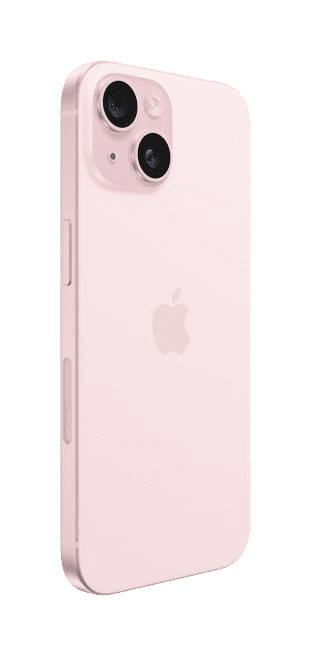
- Apple iPhone 15 : Best Camera
- iPhone 17 Pro : Biggest Screen
- Apple iPhone 13 Mini : Best Hearing Aid Compatibility
FYI: iPhones are great, but they’re hardly affordable. If you’re looking for cell phones as low as $59, then read my guide to the best phones for seniors.
iPhones for Seniors Compared
| Model | Price | Screen size (in inches) | Main camera quality (in MP) | Battery life (in hours of talk time) |
|---|---|---|---|---|
| iPhone 16e | $599 | 6.1 | 48 | 26 |
| iPhone 15 | $629.99 | 6.1 | 48 | 20 |
| iPhone 17 Pro | $1,099.99 | 6.3 | 48 | 33 |
| iPhone 13 Mini | $239 to $315 | 5.4 | 12 | 12.5 |
Best iPhones for Seniors
Apple iPhone 16e - Best Value
844-580-0512
What We Like Most:
- $599 price tag
- 48MP camera
- 26 hours of video playback
- 6.1-inch screen
Overview
Price: $599 from Consumer Cellular
The iPhone 16e is one of Apple’s latest iPhones. It’s the least expensive new iPhone at $599, but you can find older, cheaper models through third-party retailers. And while nearly $600 might be a little steep for some seniors, when you compare it to the iPhone 17 Pro’s $1,099 cost, it seems a lot more reasonable.
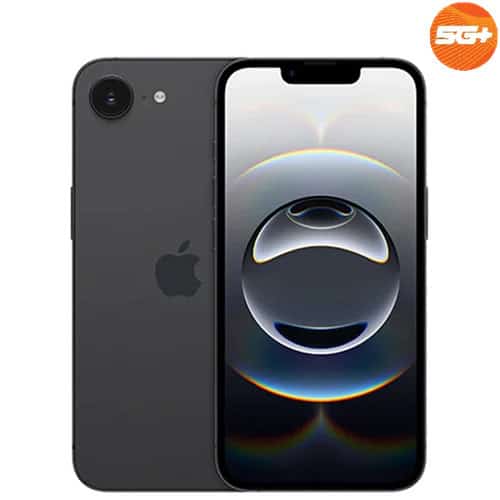
This iPhone has great features, including:
- Long battery life: My phone worked for 26 hours without needing a charge. If the older adult in your life often forgets to charge their phone, either of these would make great options.
- 6.1-inch screen: It’s not quite the largest screen on this list (that would be the iPhone 17 Pro, which has a 6.3-inch screen), but you should have no issue navigating on the 16e’s 6.1-inch screen. Plus, it’s less bulky than the 17 Pro, weighing less than 6 ounces.
- Hearing aid compatibility: The 16e works with ANSI 2019 hearing aids, making it a good option for people with hearing impairments.
I bought my iPhone 16e from Consumer Cellular, but you can use networks like AT&T, T-Mobile, or Verizon. To save the most, choose a phone with 128GB of storage. It will cost $699 for 256GB of storage, or $899 for 512GB.
I’ve found that most seniors are more than happy with 128GB, but if you take a lot of photos or videos of the grandkids, you may want to pay for more storage. Since iPhones can easily sync to iCloud, you could save on storage costs by simply keeping some (or all) of your photos and videos accessible via the internet.
With a Consumer Cellular plan, I got unlimited talk and text with 1GB of data for $20 per month. Consumer Cellular also offers a five percent discount to AARP members.
While 1GB of data isn’t enough for regular streaming, Consumer Cellular won’t hit you with overage fees if you go over your limit. Instead, the company will automatically bump you up to the next plan tier. Plus, when you’re connected to your home Wi-Fi, none of that usage counts toward your monthly data allowance.
>> Read more: Consumer Cellular Review
Pros
- Face ID
- Long battery life
- Large screen
- Emergency SOS
Cons
- No physical home button
- Can’t be immersed in water
Did You Know: If you’re looking to save on your cellular plan, check out my guide to senior cell phone discounts.
Apple iPhone 15 - Best Camera
844-580-0512
What We Like Most:
- Best iPhone camera
- High-definition display
- Optional urgent response features
- Long battery life
Overview
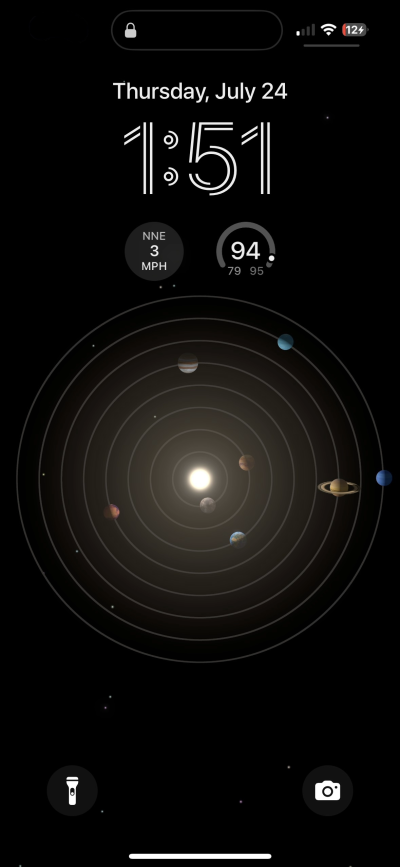
Price: $629.99 from Verizon
Now that the iPhone 17 has been released, legacy models like the iPhone 15 have dropped in price. With that $629.99 price tag, it’s just $30 more than the iPhone 16e. It’s still not cheap, but the iPhone 15 comes with the latest features Apple has to offer. You can also snag refurbished models for as little as $399.
If you want a phone primarily to take pictures and videos (something I do at least once a day), the iPhone 15 offers one of the most advanced cameras on this list, tied with the larger 17 Pro and the 16e.
The main camera is 48MP (three times that of the 13 Mini), and I could zoom in optically four times, which is great for faraway shots. Plus, with a 6.1-inch diagonal display, it was fun and easy to review and edit my photos and videos right on my iPhone.

I bought my iPhone 15 from Verizon, although cellular service is available from AT&T and T-Mobile. While Verizon has a plan for adults ages 55 and up, it’s only available to Florida residents, who can buy one line for $45 a month or two lines for $80, $40 each.
For everyone else, including me, prices start at $65 per line per month. If you want extras like mobile hotspot data or unlimited international data, it’ll cost $80 to $90 a line. All Verizon plans include:
- Unlimited talk and text
- 5G data
- Talk, text, and data in Mexico and Canada
- International texting
- Spam blocker
To learn more about the plans for this phone, check out my rundown of Verizon phones for seniors.
Pros
- Highest quality, 48MP camera
- Super Retina XDR display
- Zoom optically four times
- Urgent response button
Cons
- Costly device
- Not the longest battery life
Pro Tip: While not the same as an iPhone, the Jitterbug Smart4 is a great smartphone option made specifically for seniors. To learn more, read my Jitterbug Smart4 review.
iPhone 17 Pro - Biggest Screen
844-580-0512
What We Like Most:
- 6.3-inch screen
- Ultra-wide camera
- Up to 33 hours of video playback
- Ability to send and receive messages via satellite
Overview
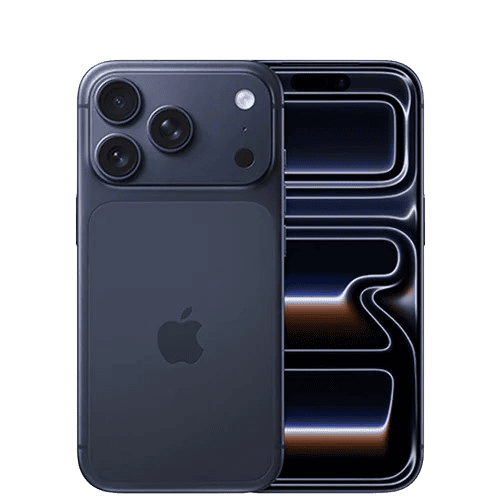
Credit: Consumer Cellular
Price: $1,099 from Consumer Cellular
The iPhone 17 Pro has the largest screen of any iPhone on this list. At 6.3 inches, it’s ideal for someone with vision issues who wants to see things clearly. And because this is one of Apple’s newest iPhones, it has incredible camera quality, 33-hour battery life, and the ability to send and receive text messages even when you don’t have a cellular signal. You can do this via Apple’s satellite, meaning you’re never out of reach.
The iPhone 17 Pro is an excellent choice for anyone who enjoys taking photos. In addition to its 48MP camera, it features an ultra-wide lens that lets you capture even the smallest details, like a ladybug perched on a leaf. For amateur photographers, it’s a big perk not having to carry a separate camera along with their phone.
One drawback of the 17 Pro is its price, which starts at $1,099 for 256GB of storage. I was able to offset some of that cost by choosing a Consumer Cellular plan, starting at $20 a month for unlimited talk and text plus 1GB of data.
There’s also a financing option, $19 down and $45 a month for two years at 0 percent interest, which is a great choice if you’d rather not spend over $1,000 all at once. Just remember that the specifics of your financing options will depend on the carrier you choose.
Pros
- Large screen
- Long battery life
- 48MP camera
- Emergency SOS button
Cons
- Expensive
- Weighs over seven ounces
Apple iPhone 13 Mini - Best Hearing Aid Compatibility
855-914-3412
What We Like Most:
- M3/T4 hearing aid compatibility
- Small enough to hold in one hand
- Great camera quality
- Water-resistant
Overview
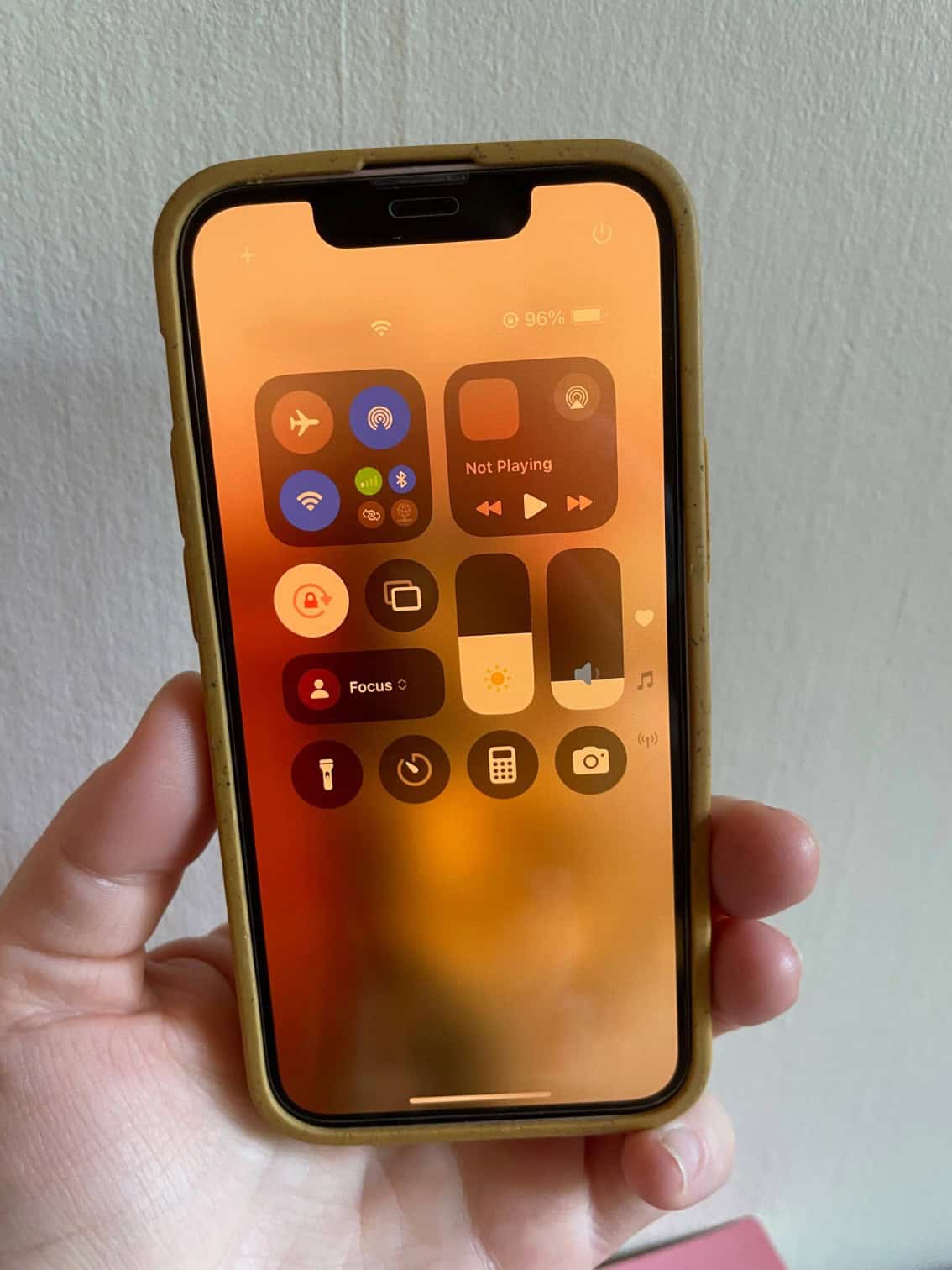
Price: $239 to $315 from Amazon
Do you want an affordable iPhone that will work with your hearing aids? Look no further than the iPhone 13 Mini, which boasts M3/T4 hearing aid compatibility. According to the National Institute on Aging, hearing loss affects about 1 in 3 older adults, and changes in hearing loss only increase with age.2 But you don’t have to let your hearing loss prevent you from using smartphones like the 13 Mini.
I purchased my device on Amazon, where it’s priced between $239 and $315, making it an excellent refurbished option alongside the iPhone SE. It’s a great pick if you prefer a smaller phone. You can also get a refurbished iPhone 13 Mini starting at $266 when you purchase a phone plan from Visible.
>> Compare carriers: Consumer Cellular vs. Visible Wireless
At just 4.97 ounces, with a 5.4-inch screen and a slim 0.3-inch depth, it fits comfortably in the palm of my hand. I enjoyed its compact size, though it may not be an ideal phone for seniors with visual impairments.
The screen may be small, but it has the Super Retina XDR display, the same display as the latest iPhones like the iPhone 17 Pro. That’s great value, as the 13 Mini costs about $800 less.


Aside from the clear display, one of the reasons someone on our team bought this phone was because they were about to go on a once-in-a-lifetime trip, and they wanted a phone with an amazing camera.
The 13 Mini didn’t disappoint, as you can see from the above photos, and he wasn’t disappointed that he didn’t bring a separate camera along. Plus, the phone’s small size made for easy traveling.
Pros
- Hearing-aid compatible
- Up to 512 GB of storage
- Lightning cable for fast charging
- Super Retina XDR display
Cons
- Only 12.5 hours of talk time
- Display is only 5.4 inches diagonally
Our Methodology
Apple releases new iPhone models every year, and it’s often difficult to discern the differences among them. When choosing the best iPhones for seniors, we looked for the following:
- Affordability: It’s no secret that smartphones can cost upward of $1,000. When I chose the best iPhones for seniors, I preferred devices with more affordable price tags, save for the very expensive 17 Pro.
- Battery life: Due to their variety of uses, iPhones and other smartphones often have issues with battery life. In my tests, all of the phones on this list had batteries powerful enough to last an entire day before needing a recharge.
- Camera quality: One of the best features of any iPhone is its camera. All of the phones on this list make it easy to take high-quality photos worthy of sharing.
- Hearing aid compatibility: Many older adults use hearing aids, so to avoid any excess noise or high-pitched feedback, we tested all of these phones to make sure they are compatible with hearing devices.
- Network choice: Smartphones are often paired with expensive cellular plans, so we chose devices that are compatible with discounted plans featuring unlimited talk, text, and data.
>> Read more: Best Phones for Hearing Impaired Users
iPhone Senior Mode
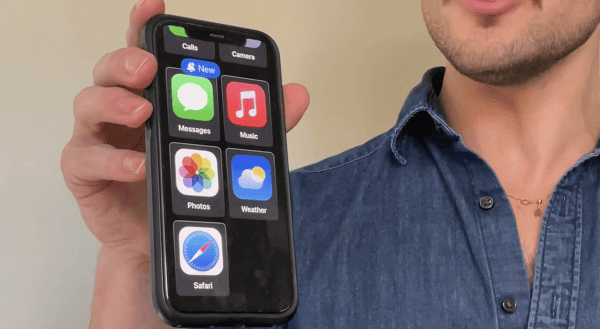
In 2023, Apple released an update to iOS, the operating system that powers iPhones. The update introduced a new feature that many have dubbed the iPhone’s Senior Mode.
Officially called Assistive Access, the feature allows you to:
- Streamline the layout of a traditional iPhone
- Enlarge the touch screen’s digital buttons
- Limit the use of certain apps and features
All of the features mitigate confusion. With Assistive Access, however, you can shrink the learning curve drastically.
>> Related reading: The Best Apps for Seniors in 2026
How to Use iPhone Senior Mode
To set up Assistive Access, follow these steps on your iPhone:
- Open Settings
- Tap Accessibility
- Scroll down and select Assistive Access
- Choose Set Up Assistive Access
- Enter your device passcode if prompted
- Confirm the Apple ID for the primary user
- Choose whether apps display in rows or grids
- Select which apps you want available in Assistive Access
- Review the feature overview and continue
- Set a passcode used to exit Assistive Access
- (Optional) Add a recovery Apple ID
- Tap Start Using Assistive Access or choose to enable it later
I know this sounds like a lot of steps just to make your iPhone easier to use, but Assistive Access can be a really useful feature for seniors who want a simpler experience.
To learn more, read my guide to iPhone Assistive Access.
Which Cellular Provider Is Best for iPhones?
The best cellular provider for iPhones will depend on where you live, your budget, and the iPhone model itself. The Federal Communications Commission provides a map of 4G LTE and 5G coverage in the U.S.3
Navigate the map to your city or town to find out which networks cover your area. Most likely, you’ll have coverage for multiple providers, although this may not be the case in more remote areas.
You should also take into account the cost of the cellular data itself. AT&T, for example, ranges from $35 to $40 per month for seniors, while T-Mobile’s senior plans range from $45 to $85 per month. Verizon’s plans cost $45 per line per month, but they’re available only to seniors in Florida, unlike the national plans from AT&T and T-Mobile.
Take into account what you’d get with each plan, including:
- Unlimited talk and text
- Mobile hot spot data
- International calling and texting
- Streaming quality
- 5G access
Not every provider will be available with every iPhone. The newer iPhones that Apple sells are compatible with AT&T, T-Mobile, and Verizon, for example, but older models like the iPhone 13 Mini are available only with resellers like Amazon. Make sure you can get the model you want with your preferred network.
>> Read more: AT&T Plans for Seniors
What About a Pre-Owned iPhone for Seniors?
Buying a pre-owned iPhone is a great way to save money. New iPhones like the iPhone 17 Pro cost at least $1,099, but older models like the iPhone SE start at around $200 from some resellers.
Look for models that are labeled “certified preowned” or “refurbished.” What’s the difference?
Refurbished phones: According to Verizon, refurbished phones are used phones that a company has repaired.4 The seller has restored the phone to its factory settings and wiped its data.
Certified preowned phones: Certified preowned is an umbrella term for all of the preowned phones that Verizon — or any seller — sells, some of which may not have needed repair.
Typically, a preowned iPhone will work as well as a new iPhone for seniors, and you’ll set it up as if it’s a new iPhone. It may have some scratches, however, which will make the price tag lower.
Verizon, for example, grades each preowned phone for its cosmetic condition: good, very good, or great. I recommend buying a preowned phone from a source such as Verizon or AT&T. It’s a bigger risk if you’re buying from an individual seller on Amazon, because the phones aren’t held to a unified standard.
Is the iPhone SE Still Worth Buying?
If you want to get a refurbished or pre-owned iPhone to save on the upfront cost, the now-discontinued iPhone SE is an extremely popular option among seniors. It offers most of the same advanced features that you would expect from an iPhone.
Plus, it has a tactile home button that doubles as a fingerprint scanner (something newer iPhones lack). The iPhone SE’s small size (4.7-inch display and weight of just 5.2 ounces) might also be a bonus for seniors who don’t want to hold a heavy, oversized smartphone.
The iPhone SE may not have made our list of the top iPhones for seniors, but it’s still worth considering. For those on a budget who want an iPhone that’s affordable, lightweight, yet still powerful enough to handle many of the same tasks as newer smartphones, the iPhone SE is a solid choice.
Frequently Asked Questions
-
Are iPhones good phones for seniors?
iPhones are good for seniors because they have large screens and intuitive interfaces that make it easy for seniors to answer calls, send text messages and FaceTime loved ones. For more technologically advanced users, they can also use their iPhones to listen to music, watch movies and TV shows, research topics online, and perform many other actions through millions of applications.
-
Which iPhone is the easiest to use for seniors?
The iPhone that is the easiest to use for seniors is the iPhone 17 Pro because it has the largest screen at 6.3 inches. All iPhones have an option called Assistive Access that allows you to make items larger and simplify your home screen into grids or rows of customized, enlarged apps.
-
Which is easier for seniors: iPhone or Android?
iPhones are often easier for seniors because of their simple, consistent interface and features such as larger text options, Siri voice commands and built-in accessibility tools like senior mode.
Android phones can also be senior-friendly, but their variety of models and interfaces may feel less intuitive to those new to smartphones. Overall, iPhones tend to have a gentler learning curve, while Android offers more customization for tech-savvy users.
-
Is there a senior discount for iPhones?
No, there is no senior discount for iPhones. Apple does not offer any discounts based on age.
-
Is iPhone or Android better for seniors?
iPhones are made to be easier to pick up and use with ease. That said, Android phones offer a lot more diversity in design, cost, and features. For seniors who want familiarity and an intuitive interface, iPhones are probably better. For seniors who want more phones to choose from, Android is likely a better fit.