The 7 Best Medical Alert Systems: Reviews & Comparison (2026), Tested by Caregivers
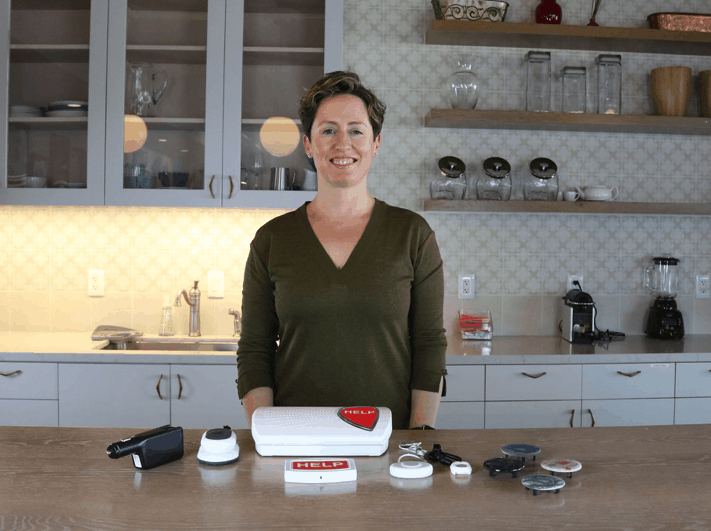

Choosing the right medical alert system can make all the difference during an emergency. After hands-on testing more than 50 systems, we selected the best medical alert systems for 2026 based on reliability, response times, ease of use, value, and features.
Every provider on this list offers month-to-month service with no long-term contracts, giving you the flexibility to find the right fit without a lengthy commitment.
While no medical alert system is flawless, our testing proves that choosing a dependable provider can significantly improve your chances of getting help quickly when it matters most.
The Best Medical Alert Systems of 2026
- Bay Alarm Medical : Best Overall
- Medical Guardian : Fastest Response Times (8 seconds avg.)
- ADT : Best In-Home Systems
- MobileHelp : Best Budget Option
- Medical Alert : Best Caregiver App
- Lively : Best Caregiver Features
- Lifeline : Best Simple At-Home System
|
Bay Alarm Medical
 |
Medical Guardian
 |
ADT
 |
MobileHelp
 |
Medical Alert
 |
Lively
 |
Lifeline
 |
|
|---|---|---|---|---|---|---|---|
| Rating out of 5 | 4.8 | 4.7 | 4.7 | 4.5 | 4.4 | 4.1 | 4.0 |
| Average response time (seconds) | 16 |
8 |
14 |
26 |
28 |
13 |
12 |
| Starting price per month | $27.95 |
$27.95 |
$37.99 |
$25.95 |
$29.95 |
$24.99 |
$34.95 |
| Fall detection cost per month | $10 |
$10 |
$11 |
$10 |
$10 |
$9.99 |
$15 |
| Minimum contract | None |
None |
None |
None |
None |
None |
None |
| Read More | Bay Alarm Medical Review | Medical Guardian Review | ADT Review | MobileHelp Review | Lively Review | Lifeline Review |
Key Takeaways
- Bay Alarm Medical is our top overall pick, with a 4.8-star rating, 16-second average response time, and plans starting at $27.95 per month.
- Medical Guardian had the fastest response time in our testing, averaging eight seconds, although its equipment fees are higher than many competitors.
- ADT offers the best in-home system, doesn't charge equipment fees, and has a starting price of $26.99 monthly for its landline system.
- MobileHelp and Lively are the most affordable providers on this list, with starting prices of $25.95 and $24.99 per month, respectively.
- Fall detection typically costs extra, ranging from $9.99 to $15 per month among our top picks.
- None of our top seven providers require long-term contracts, making it easier to cancel or switch systems if your needs change.
Tip: According to recent census data, over 14 million seniors live alone.1 Having a reliable emergency response becomes crucial for maintaining independence.

Best Medical Alert Systems of 2026
Bay Alarm Medical - Best Overall for In-Home and Mobile Devices
855-675-0754
What We Like Most:
- Systems starting at $27.95 per month
- 15-day risk-free trial
- Location tracking on mobile units
Overview
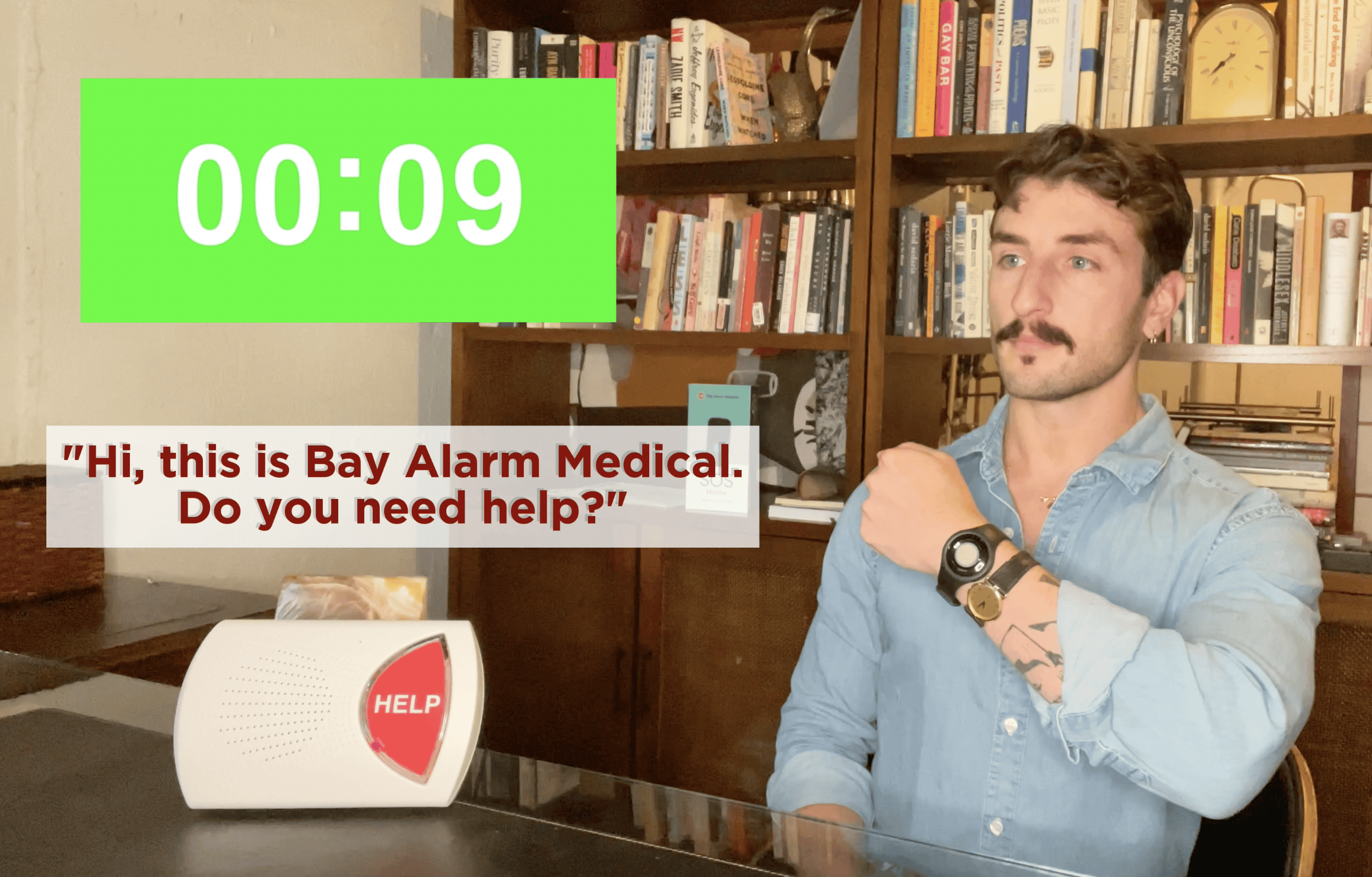
Bay Alarm Medical has long been the gold standard for medical alert systems, and their current lineup does not disappoint. Among the company’s home and mobile systems, we found fast response times, conscientious customer support, and a plethora of extra features for caregivers, making them a good option for someone caring for a loved one.
Bay Alarm Medical also offers pretty competitive prices, especially for their home systems. Additional features, like fall detection, however, cost extra. We also found that the mobile app was not as useful as the app offered by Medical Guardian.
Compared to Medical Guardian, Bay Alarm Medical offers slower response times (16 seconds vs. 8 seconds) but lower equipment fees and a more affordable entry price, making it the better choice for budget-conscious buyers who don’t need the absolute fastest response.
Testing
Across their various devices, we found that Bay Alarm Medical’s systems consistently gave us quick access to help. In our tests, the monitoring center answered our calls in an average of 16 seconds. Each distress call also alerted our designated caregivers through the Bay Alarm Medical app.
The app allowed us to track the location of our mobile systems when they were used outside the home. The majority of caregivers we consulted say that, among our top picks, they recommend Bay Alarm Medical to people caring for loved ones who cannot be there in person.
We were pleased with the help buttons’ water resistance, which allowed us to take them into the shower without damaging them. Since the shower is a frequent site of falls, the feature would come in handy for many users, especially for users who live alone and have mobility issues.
The automatic fall detection also worked well across Bay Alarm Medical’s systems. We were particularly impressed by the SOS Smartwatch’s fall detection, which detected 15 of 20 test falls. Just remember that no fall detection device is foolproof — both false positives and undetected falls are genuine concerns.
Did You Know? Not every medical alert system includes fall detection. To make sure you get a system that can call for help without you pushing the button, check out our list of the best fall-detection devices.
Pricing
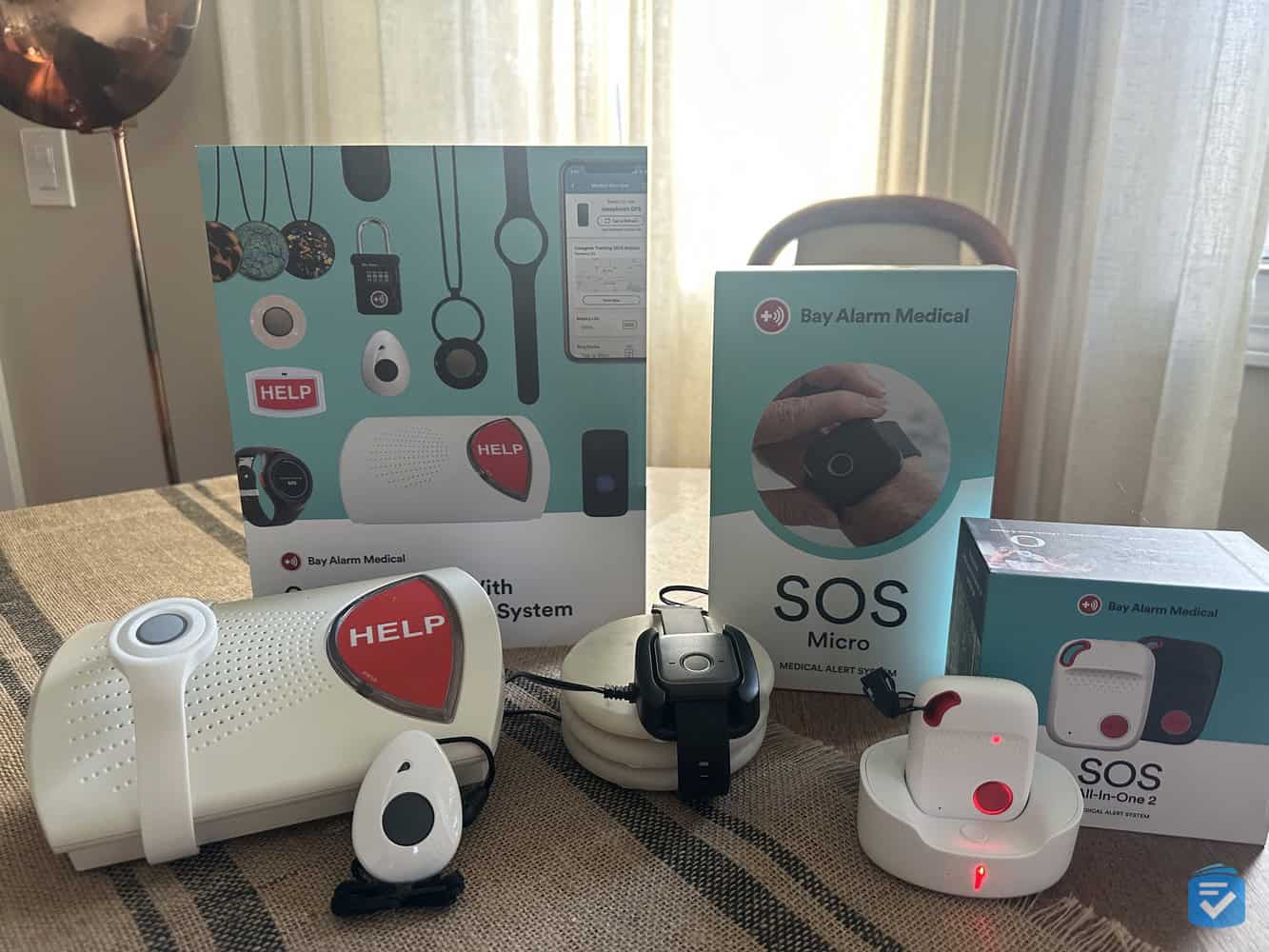
Bay Alarm Medical starts at $27.95 per month for the in-home systems and $34.95 for the cellular and mobile systems. That puts the company’s prices at slightly below average. Here are the five main packages:
| Equipment fee | Monitoring fee (monthly) | Monitoring fee (quarterly) | Monitoring fee (yearly) | |
|---|---|---|---|---|
| SOS Home Landline (in-home) | $0 | $27.95 | $83.85 | $335.40 |
| SOS Home Cellular (in-home) | $0 | $34.95 | $104.85 | $419.40 |
| SOS All-In-One 2 (mobile) | $89.40 | $34.95 | $104.85 | $419.40 |
| SOS Micro (mobile) | $104.30 | $34.95 | $104.85 | $419.40 |
| SOS Smartwatch (mobile) | $159.20 | $39.95 | $119.85 | $479.40 |
You can add fall detection to any of those packages, except SOS Home Landline, for $10 per month. For the mobile systems, you can also bundle in-home cellular equipment for an additional $20 to $25 per month with the 360° bundle plans (no additional equipment fee).
That’s cheaper than buying an SOS Home Cellular system separately. For instance, the SOS Smartwatch 360° bundle (SOS Smartwatch + Home Cellular) costs $64.95 per month. Getting those two systems separately would cost you $74.90 per month.
It’s also worth noting that we didn’t have to sign a long-term contract with Bay Alarm Medical. To learn more, see our Bay Alarm Medical review.
Drawbacks
The one downside of Bay Alarm Medical is the extra costs for some bonus features. Even though fall detection is built into most of Bay Alarm Medical’s devices, for example, we had to pay an extra $10 per month to activate it, the same cost as Medical Guardian.
We also appreciated that Bay Alarm Medical includes free access to a caregiver app, through which loved ones can keep track of a device’s location and usage. However, the app doesn’t have the communication features of caregiving apps from other providers we tested, such as Medical Guardian. That’s why Medical Guardian may be an even better option for caregivers.
Pros
- No long-term contracts required
- Quick response times
- Mobile GPS tracking
- Caregiver features
- Systems from $27.95 per month
- Voice and wall-mounted buttons
Cons
- Equipment fees for mobile systems
- Less advanced app than others
Medical Guardian - Fastest Response Times
877-947-4512
What We Like Most:
- Quick response times
- Activity tracking
- GPS location technology
Overview
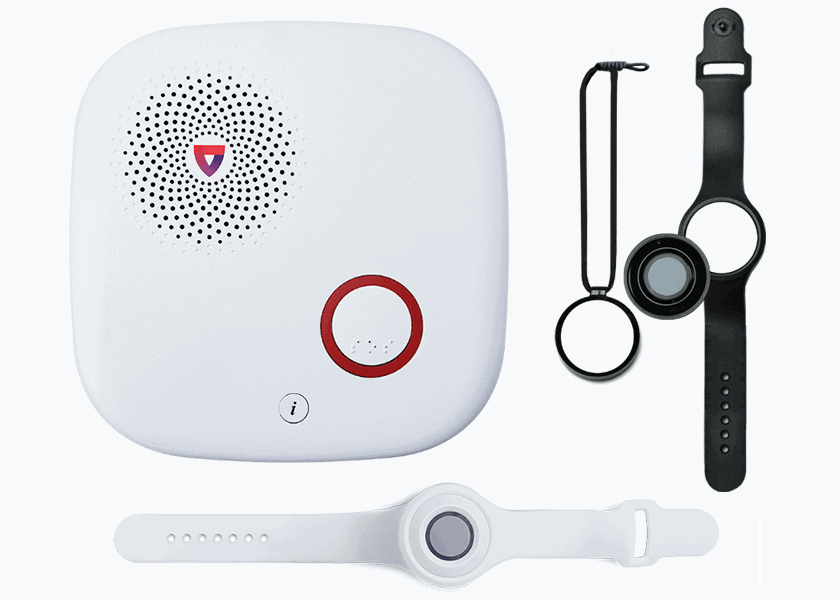
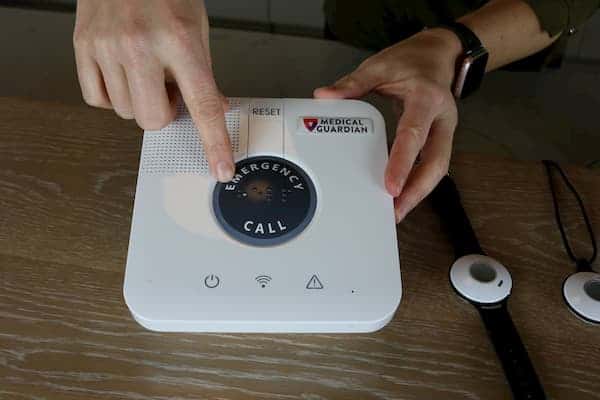
During our tests of Medical Guardian’s five systems, the company’s response agents answered our test calls faster than any other company. They offer a variety of systems, whether you just need peace of mind at home or while you’re out and about. Medical Guardian also boasts one of the best mobile apps for caregivers (just behind Medical Alert).
Their prices, however, are substantially higher than those of providers like MobileHelp. Every system comes with an equipment fee of at least $149.95 and monthly monitoring fees that are generally higher than Bay Alarm Medical’s, especially for more advanced systems. Despite their higher prices, Medical Guardian’s fast response times might make them worth it for many seniors.
Compared to Bay Alarm Medical, Medical Guardian delivers significantly faster response times (8 seconds vs. 16 seconds) and more accurate fall detection, but requires higher upfront equipment fees starting at $149.95 and higher monthly costs overall.
>> Read more: MGMove Watch Review
Testing
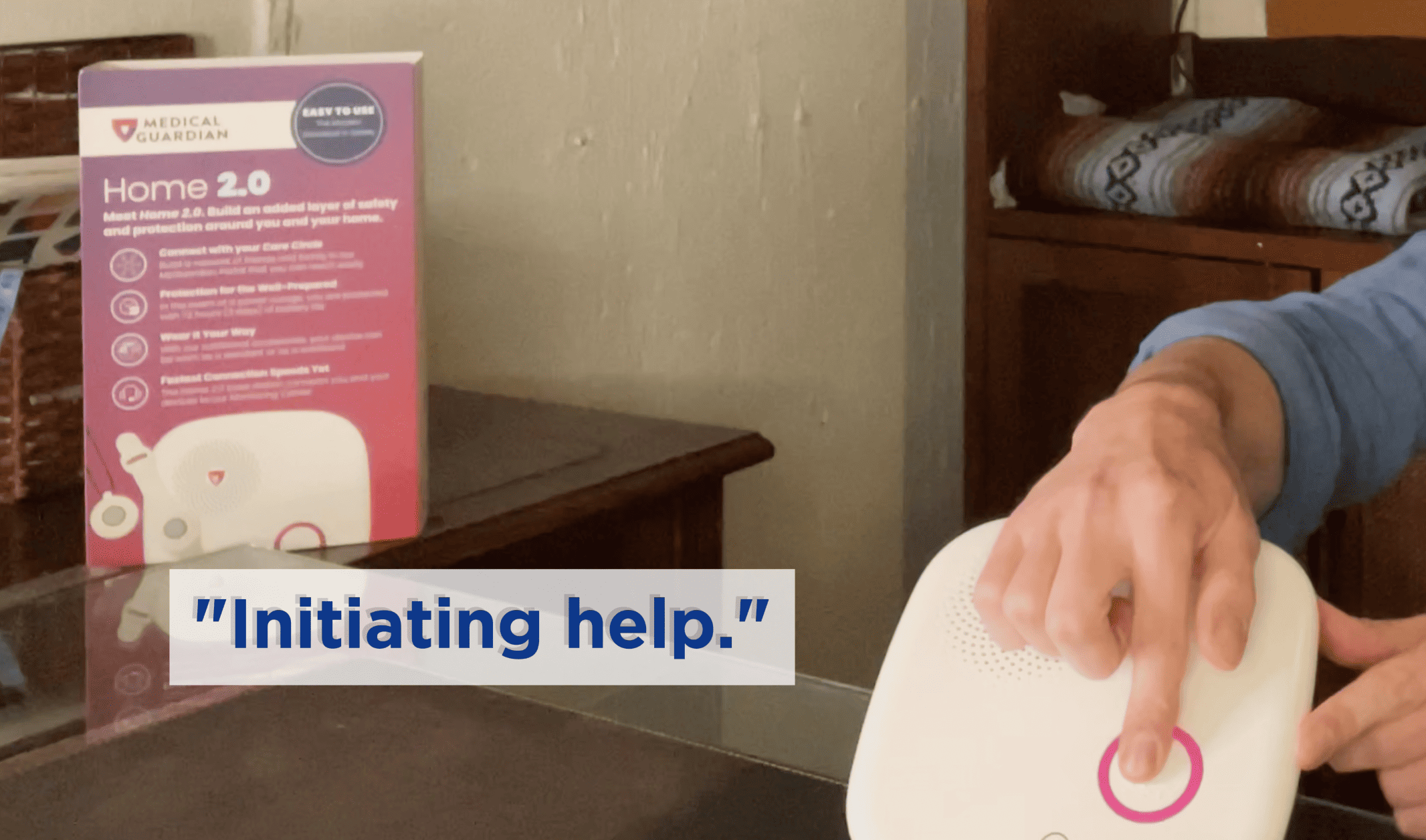
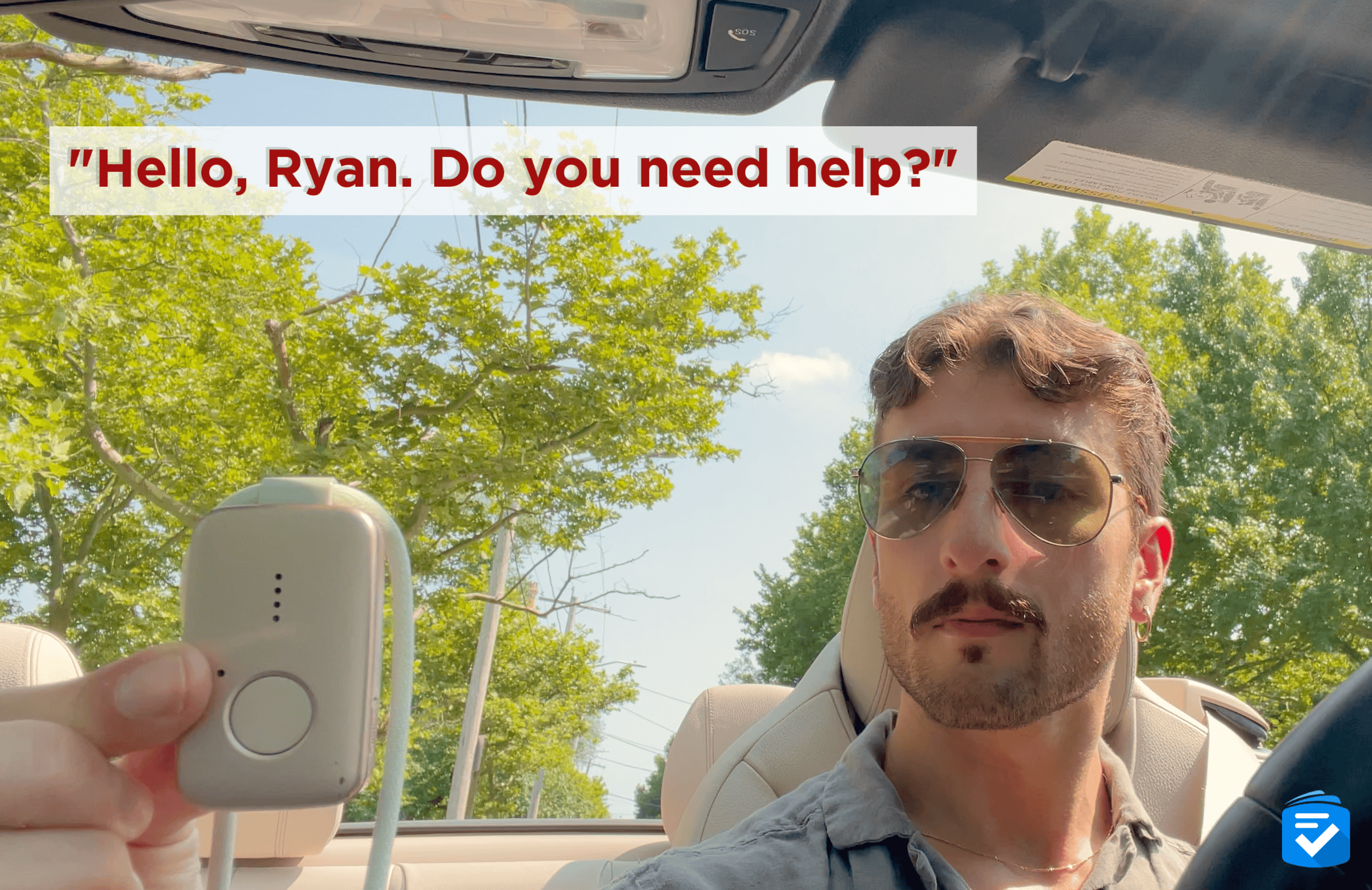
No matter which system we tested, Medical Guardian gave us nearly instantaneous access to help. In our tests, our distress calls were answered in an average of eight seconds, which gave Medical Guardian the fastest response times.
Medical Guardian’s fall detection was slightly more accurate than Bay Alarm Medical’s. It detected 18 of our 20 test falls. That’s why we recommend Medical Guardian more to seniors who are at higher risk of accidental falls.
Another unique feature of Medical Guardian is the MyMedicalGuardian app. Many companies, such as Medical Alert, now offer companion apps with their medical alert systems, and MyMedicalGuardian offers a similarly great experience. With the app, the company notifies caregivers when a loved one’s system sends a distress call.
For mobile systems, caregivers can also track the system in real time. With the MGMove watch, we could even use the app to send messages and reminders directly to the watch. This could prove invaluable for active seniors who experience a fall or similar emergency away from home.
Pricing
The biggest downside of Medical Guardian is the high cost of their systems. Their systems start at $27.95 per month for the MGHome Landline or $34.95 for the MGCellular.
However, these prices are only available if you pay in one lump sum for the next 12 months. Monthly costs are a bit higher. For something slightly more affordable, we recommend checking out MobileHelp, which offers in-home systems for $25.95 per month.
| Medical Guardian systems | In-Home System Landline | In-Home System Cellular | On-the-Go Systems |
|---|---|---|---|
| Equipment fee | $149.95 | $149.95 | $149.95- $199.95 |
| Monitoring fee (monthly) | $31.95 | $38.95 | $42.95- $46.95 |
| Monitoring fee (quarterly) | $29.95 | $36.95 | $40.95- $44.95 |
| Monitoring fee (annually) | $27.95 | $34.95 | $38.95- $42.95 |
None of Medical Guardian’s systems require long-term contracts. When we finished testing each system, we returned our equipment, stopped making monthly payments, and received a prorated refund for the remainder of the month.
To learn more about pricing, read our guide to Medical Guardian costs.
Drawbacks
In addition to the higher-than-average equipment fees and monthly service costs, Medical Guardian charges you additional monthly fees for accessories. Many medical alert companies include a free lockbox if you sign up for an annual package. Medical Guardian, however, charges $2.99 per month for a lockbox, even with a yearly payment.
Pros
- Fastest response times
- Wide range of systems
- All-in-one mobile units
- Smartwatch option
- Accurate fall detection
- Waterproof devices
Cons
- More costly than other companies
- Getting the lowest prices requires annual contracts and upfront payments
FYI: Studies indicate that medical alert system users experience 30 percent fewer emergency room visits due to faster, more appropriate emergency response.2
ADT - Best In-Home Systems
855-571-0361
What We Like Most:
- Waterproof help buttons
- Quick response times
- Temperature monitoring
Overview
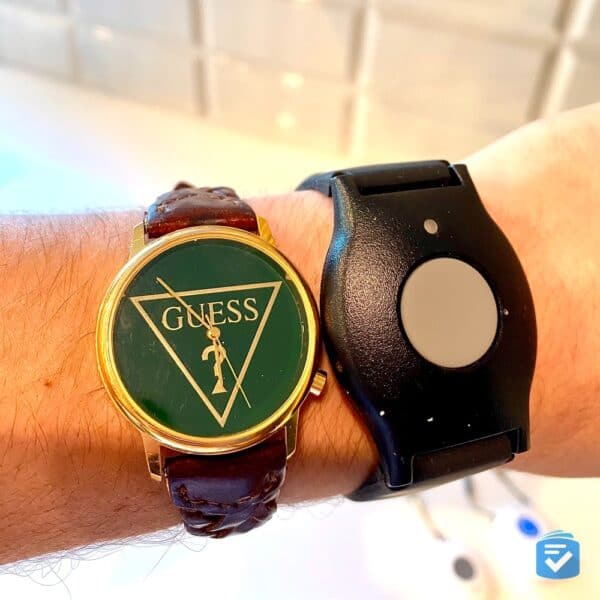
Widely known for their home security systems, ADT also offers medical alert systems to keep users safe both in and outside their homes. You won’t find much groundbreaking technology here, but ADT medical alerts deliver exceptional performance with durable equipment and speedy emergency response times.
While ADT doesn’t charge equipment fees like Bay Alarm Medical and Medical Guardian, they do charge $11 per month for fall detection (slightly higher than the industry average). They also charge a one-time activation fee.
Compared to Bay Alarm Medical, ADT charges no equipment fees but does require a one-time activation fee, offers a slightly lower starting price at $26.99/month, and has slightly lower fall detection accuracy (70% vs. 75%) in our tests.
Testing
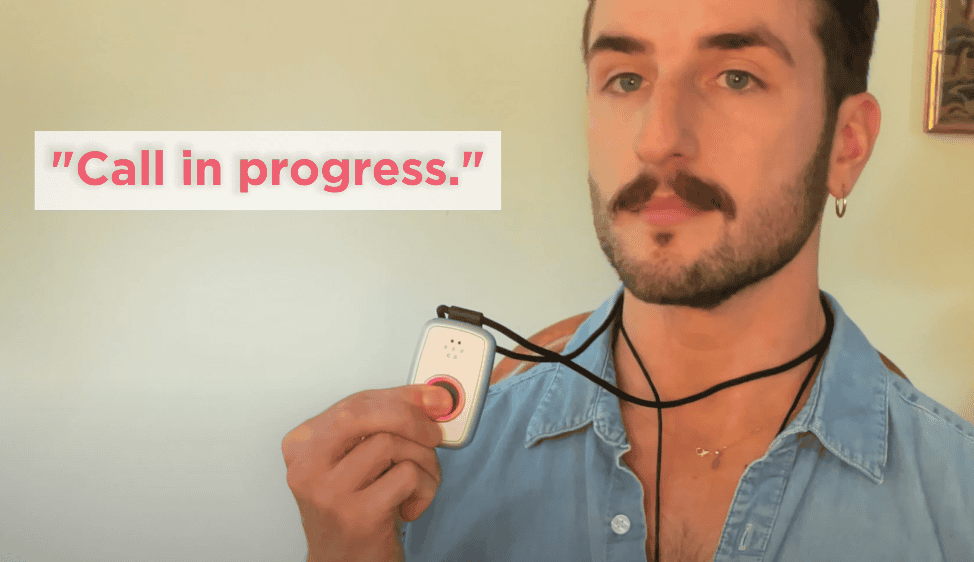
In our 10 test calls with ADT devices, the company’s response agents answered in an average of 14 seconds. That gave ADT the third-fastest response time on this list, surpassed by only Medical Guardian and Lively.
The buttons worked even when we made calls from the shower. Our ADT systems’ fall detection detected 14 of our 20 test falls, accurately detecting 70% of falls during our testing.
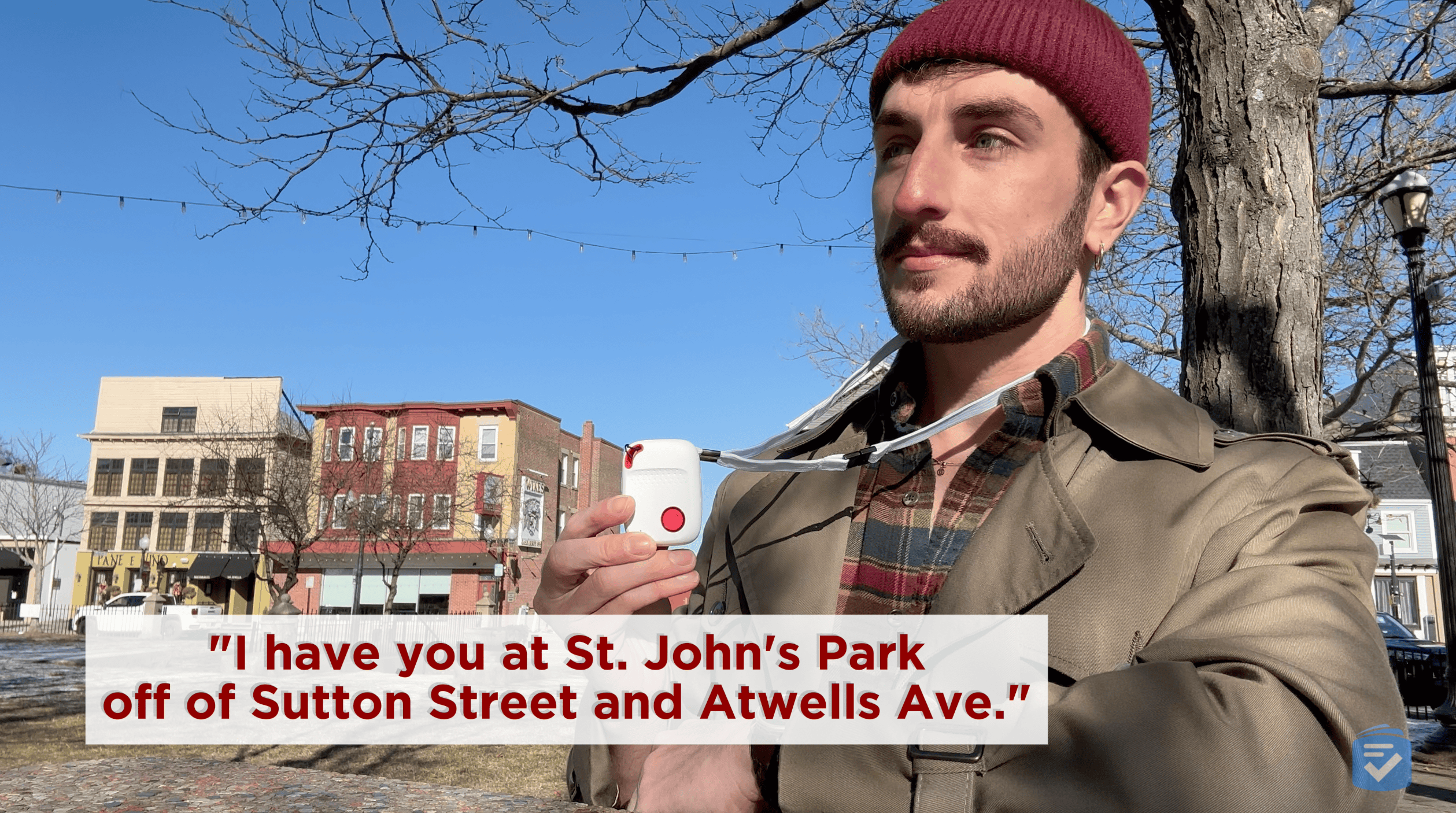
The GPS capabilities of our On-the-Go system impressed us. When we made a test call from a local train station, the response agents reported our exact location down to the fact that we were standing on the outbound platform.
Pricing
ADT’s prices fall in the middle of the pack, starting at $26.99 per month for the landline system, with higher pricing for their cellular home and mobile systems. You’ll note their costs are average for a medical alert system.
For On-The-Go users, fall detection still costs $11 per month. However, its built-in, optional Integrated Fall Detection makes the mobile system a more seamless all-in-one wearable option for seniors who want protection on the go without managing multiple devices.
| System | On-The-Go | Medical Alert Plus | Medical Alert Basic |
|---|---|---|---|
| Cost per month, monthly billing | $41.99 | $39.99 | $31.99 |
| Cost per month, quarterly billing | $39.99 | $37.99 | $29.99 |
| Cost per month, annual billing | $39.99 | $37.99 | $29.99 |
Drawbacks
ADT requires a $99.99 activation fee, while companies such as Medical Guardian forgo activation fees completely. We were disappointed that Medical Alert Basic does not include fall detection as an option. ADT’s fall detection systems could be better, too — while 70% fall detection accuracy is okay, it’s not as good as the results we got with Bay Alarm Medical (75%) and Medical Guardian (90%).
Pros
- Waterproof help buttons
- No long-term contracts
- Integrated fall detection available on On-The-Go
- Quick response times
- Landline options available
Cons
- Relatively small in-home range
- No fall detection on the landline system
- $99.99 activation fee
- Additional pendants cost extra
MobileHelp - Best Budget Option
800-915-8738
What We Like Most:
- Systems from $25.95 per month
- Flexible contracts
- Free equipment and activation
Overview
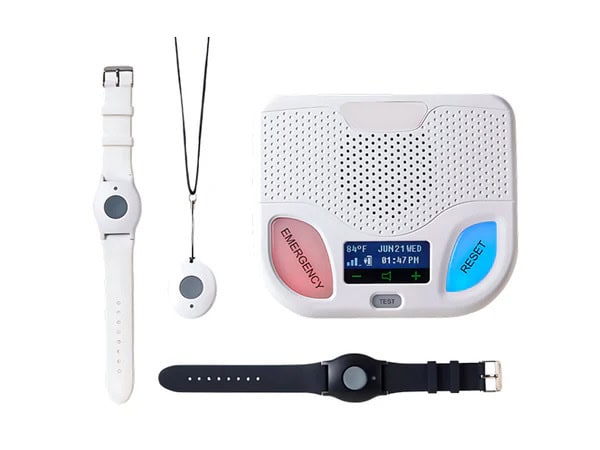
MobileHelp offers several systems that quickly give you or your loved one access to emergency help. Best of all, they cost as little as $25.95 per month with no equipment fees, making them one of the most affordable options on this list.
The provider’s low-cost fall detection used to be one of their biggest benefits. However, MobileHelp recently changed their pricing structure for fall detection, which now costs $10 per month — on par with industry standards.
Compared to Bay Alarm Medical, MobileHelp offers a lower starting price ($25.95 vs. $27.95/month) and no equipment fees, but has slower average response times (26 seconds vs. 16 seconds) and less robust caregiver app features.
Testing
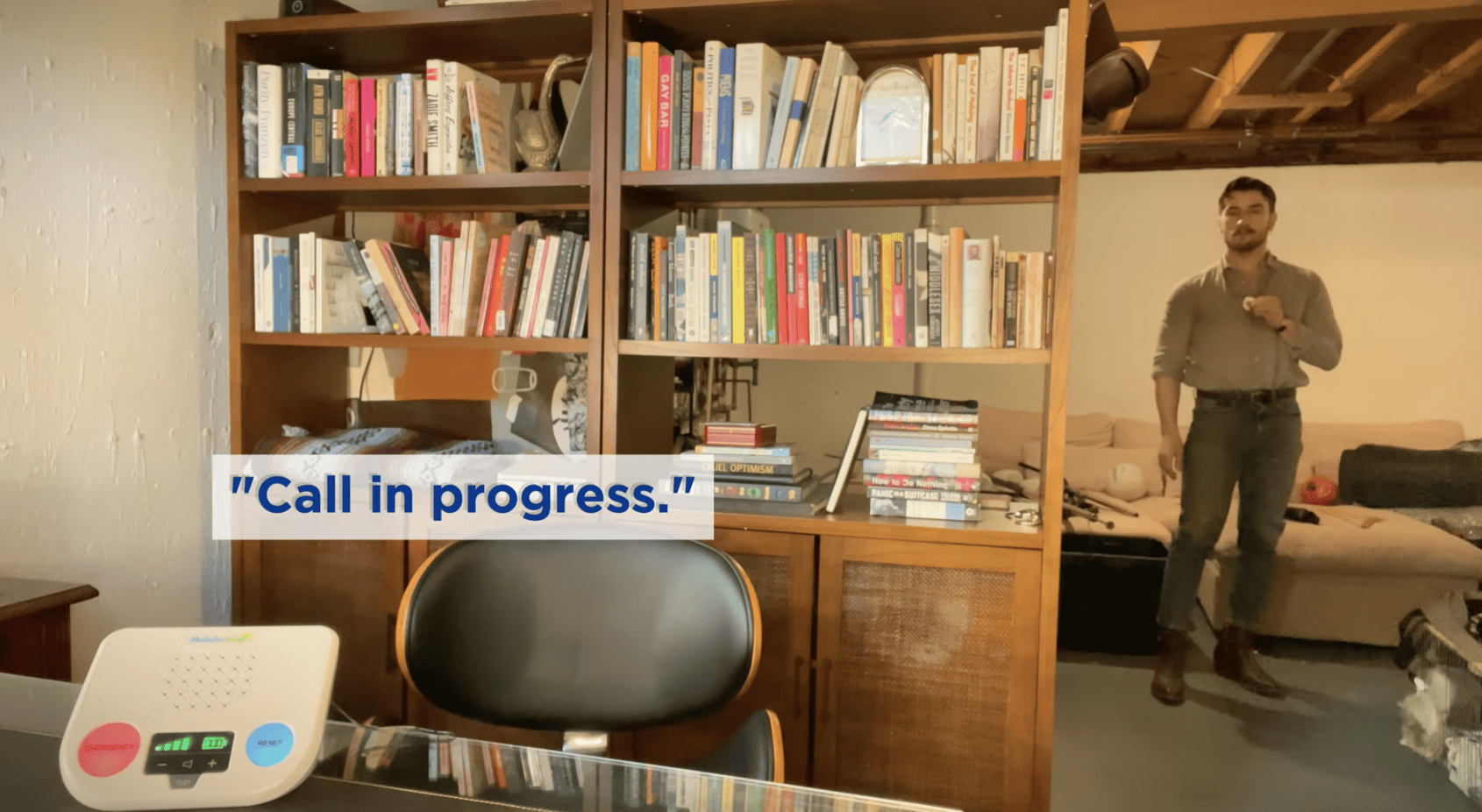
We found consistently solid performance across MobileHelp’s systems. In our test calls, MobileHelp agents answered in an average of 26 seconds. That’s longer than the prior two entries on this list, but it’s still better than the 30-second average across the industry.
Pricing
MobileHelp’s most significant advantage is its low cost. Their basic in-home system, the Classic Cellular, costs $25.95 a month, while a similar system from Medical Guardian starts at $34.95 a month if you pay annually or $38.95 if you pay monthly.
| MobileHelp systems | Monthly | Quarterly | Annual* |
|---|---|---|---|
| Mobile Duo | $44.95 | $134.85 | $494.45 |
| Home Duo | $49.95 | $149.85 | $549.45 |
| Solo | $35.95 | $107.85 | $395.45 |
| Classic Cellular | $25.95 | $77.85 | $285.45 |
| Classic Landline | $25.95 | $77.85 | $285.45 |
*MobileHelp’s annual monitoring price includes one free month of service.
Pros
- Affordable systems
- In-home and mobile protection
- Caregiver portal
- Free lockbox with every annual order
- Quick response times
Cons
- Extra fees on the caregiver portal
- Extra device required for fall detection
Medical Alert - Best Caregiver App
(855) 583-3364
What We Like Most:
- Waterproof help buttons
- Free caregiver app
- Competitive monitoring fees
Overview
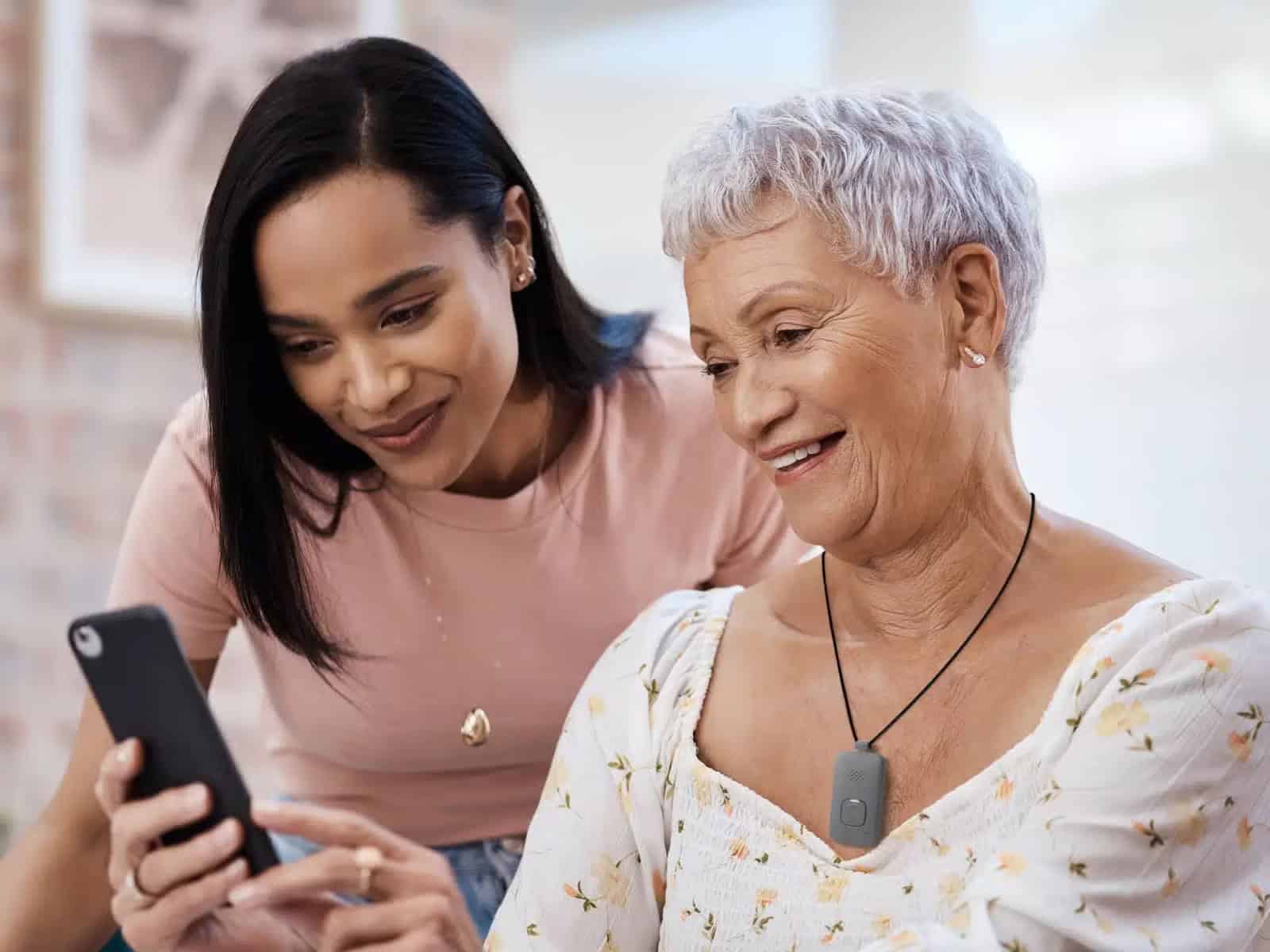
Medical Alert, part of the Connect America family of companies, earns a top spot for offering competitive pricing, reliable home systems, and an intuitive app for caregivers. Medical Alert’s Home Cellular system starts at $29.95, which compares favorably to Bay Alarm Medical’s comparable home cellular system at $34.95 per month.
We also found a variety of mobile options available through Medical Alert, including a smartwatch system. However, these prices only apply if you’re willing to pay for a year of service ahead of time. If you want to pay monthly, the lowest prices start at $37.95. Medical Alert had the slowest response time of any provider on this list at 28 seconds.
Compared to Medical Guardian, Medical Alert offers a simpler and more user-friendly caregiver app, but significantly slower response times (28 seconds vs. 8 seconds) — making it a better fit for tech-averse caregivers than for seniors who need the fastest possible emergency response.
Testing
When testing Medical Alert systems, we found that the company delivered solid overall performance. The help button that came with the Home Cellular System was waterproof. Their caregiver app was great for alerts, battery checks, location tracking, and account management.
However, Medical Alert connected us to help in an average of 28 seconds on both home and mobile units. That’s certainly not bad, but it can’t compare with providers like Bay Alarm Medical, Lifeline, Lively, or ADT — all of which connected in under 15 seconds on average.
Pricing
| System | Equipment fee | Monitoring fee (monthly) | Monitoring fee (semiannual) | Monitoring fee (yearly) |
|---|---|---|---|---|
| Home Cellular System | $99.95 | $37.95/month | $209.70 ($34.95/month) | $359.40 ($29.95/month) |
| Mobile System Standard | $99.95 | $42.95/month | $239.70 ($39.95/month) | $419.40 ($34.95/month) |
| Mobile System Mini | $99.95 | $47.95/month | $269.70 ($44.95/month) | $479.40 ($39.95/month) |
| Smartwatch | $159.00 | $39.95/month | $227.70 ($37.95/month) | $419.40 ($34.95/month) |
Pros
- Excellent free caregiver app
- Competitive pricing
- Waterproof help button
- Home, mobile, and smartwatch options
- GPS location tracking on mobile devices
- Optional fall detection with all systems
Cons
- Response times are relatively slow
- Prices increase if you pay month-to-month
- Equipment fees with all systems
Lively - Best Caregiver Features
855-403-6340
What We Like Most:
- Fully waterproof
- 13-second response times
- Built-in fall detection
Overview
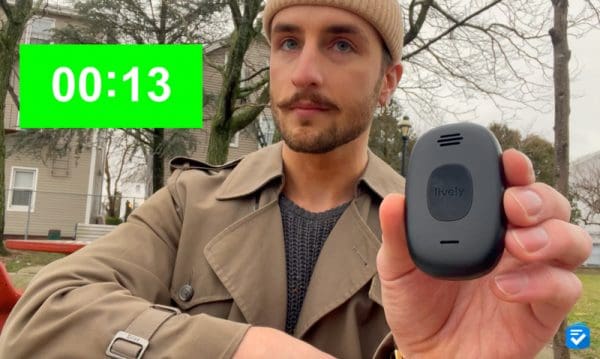
The Lively Mobile2 combines the portability of a cell phone with the safety features of a personal emergency response system. It’s a completely cellular medical alert system that includes features such as fall detection and a dedicated nurse hotline (though these cost extra). There’s also an app, Lively Link, that allows families and caregivers to tune in to a user’s health and safety.
It’s important to note that the Lively Mobile2 device is not made for seniors who want discreet monitoring. It’s a little bulky compared to other devices. Still, the Mobile2 offers GPS, optional fall detection, a two-way speaker, and a mobile help button, all in one device.
Compared to MobileHelp, Lively offers a lower starting price ($24.99 vs. $25.95/month), faster response times (13 seconds vs. 26 seconds), and a more feature-rich caregiver app at no extra charge — though Lively offers only one GPS device versus MobileHelp’s broader system lineup.
Testing
What impressed us most about the Lively Mobile2 was how quickly their agents answered each of our calls. In our 10 test calls, Lively connected us to help in an average of 13 seconds, the second-fastest average on this list, behind Medical Guardian’s.
Lively bills the Mobile2 as a truly waterproof device. To test that, we dunked the device into a glass of water. After pulling it out, another test call came through with crystal-clear audio.
Pricing
Lively prices start at a mere $24.99 per month with no long-term contracts or cancellation fees.
| Plan | Basic | Premium |
|---|---|---|
| Cost per month | $24.99 | $34.99 |
| Ask Lively | Yes | Yes |
| Lively Link | Yes | Yes |
| Urgent response | Yes | Yes |
| Care advocate | No | Yes |
| On-call nurse | No | Yes |
Pros
- Waterproof device
- 30-day trial period
- No long-term contracts or cancellation fees
- Plans from $24.99 per month
Cons
- Device requires daily charging
- Unattractive design
Lifeline - Best Simple At-Home System
844-615-0088
What We Like Most:
- Large, easy-to-use buttons
- 12-second average response times
- Strong in-home range
Overview
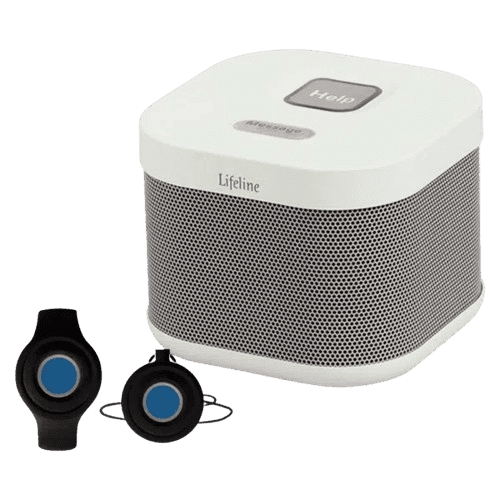
If you want a straightforward, no-fuss medical alert system, Lifeline’s HomeSafe is one of the simplest we’ve tested. The base unit is built around big, legible buttons and simple controls, and the wearable help button is easy to press. If you do want something a bit more advanced, Lifeline also offers mobile and smartwatch systems.
Lifeline really performed where it counts. The response times were fast, calls came through clearly, and the system includes a caregiver app that can send emergency notifications to loved ones.
Compared to ADT, Lifeline offers similarly fast response times (12 seconds vs. 14 seconds) and comparably simple in-home equipment, but charges a higher starting price ($29.95 vs. $26.99/month) and the most expensive fall detection add-on on this list at $15 per month.
Testing
The setup was refreshingly simple. To install our HomeSafe system, we plugged the base unit into a wall outlet, waited for the cellular signal indicator, and pressed the help button to confirm everything was working with the monitoring center.
In our 10 test calls placed throughout the house, Lifeline connected us to help in an average of 12 seconds, second only to Medical Guardian. We were impressed by the speaker volume, even when we called from a different room.
We also liked that every test call triggered push notifications through the My Lifeline app. Fall detection, unfortunately, was a weak spot. In our 10 simulated falls, HomeSafe detected only five. At $15 per month — higher than any other provider on this list — it’s hard to justify the add-on based on these results.
Pricing
Lifeline’s in-home pricing starts at $39.95 per month for the HomeSafe cellular system, or $34.95 per month when paid annually ($419.40 upfront). Fall detection adds $15 per month. In our case, we paid $39.95 per month for cellular HomeSafe, plus $15 per month for fall detection, along with a one-time $99.95 setup fee.
Lifeline doesn’t require long-term contracts, and you can cancel by returning the equipment at any time. In our experience, however, it takes some time to get your money back.
While we don’t like the hefty setup fee and pricey fall detection, the monthly service plans are on par with many other top providers like Medical Guardian and Bay Alarm Medical.
Pros
- Very simple controls and large buttons
- Fast response times
- Water-resistant help button for shower use
- Free caregiver app with emergency notifications
Cons
- High setup fee
- Expensive and mediocre fall detection
4 red flags to avoid when buying a medical alert system
Here are four red flags to watch for when comparing medical alert systems:
- Long-term contracts: Avoid providers that lock you into a three-year contract or make cancellation difficult. A good medical alert company should offer a monthly payment option and a clear cancellation process.
- High fees: Watch for high equipment fees, activation fees, monthly monitoring fees, and add-on charges. UnaliWear, for example, charges $299 for their smartwatch and at least $84.95 per month, many times more than competitors such as Medical Guardian and Bay Alarm Medical.
- No fall detection option: Fall detection can automatically contact a monitoring center when a user falls and cannot press the help button. Some systems, including Life Alert, do not offer this feature, so check carefully before signing up.
- Slow response times: Response speed matters during an emergency. Before choosing a provider, review hands-on testing data to see how quickly the monitoring center answers alerts. Even a few seconds can make a meaningful difference.
How do medical alert systems work?
Most medical alert systems work by connecting the user to a 24/7 monitoring center after an emergency button press, fall detection alert, or other triggered alarm. Here's how the emergency response process typically works:
- Activation: The user presses a help button, activates a wearable device, or triggers automatic fall detection after a fall.
- Connection: The system connects the user to a monitoring center through a base station, cellular device, mobile pendant, or medical alert watch.
- Assessment: A trained response agent speaks with the user through the device's two-way speaker, reviews the situation, and determines what kind of help is needed.
- Dispatch: If necessary, the monitoring center contacts emergency services, caregivers, neighbors, or other people listed in the user's response plan.
In-home medical alert systems
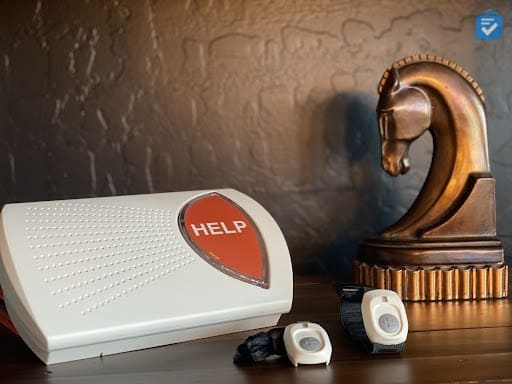
In-home medical alert systems come in two main types: landline and cellular. Both feature a base station equipped with a two-way speaker that connects directly to monitoring staff.
Landline systems: Landline systems require a working landline to connect with a monitoring center. They are easy to install and tend to be the most affordable option.
Cellular systems: If you don’t have a landline, consider cellular medical alert systems. Plug in the power source and the system will initiate. Cellular systems often look identical to their landline counterparts, but they usually cost $5 to $10 more, which includes the cost of cellular service.
Mobile medical alert systems
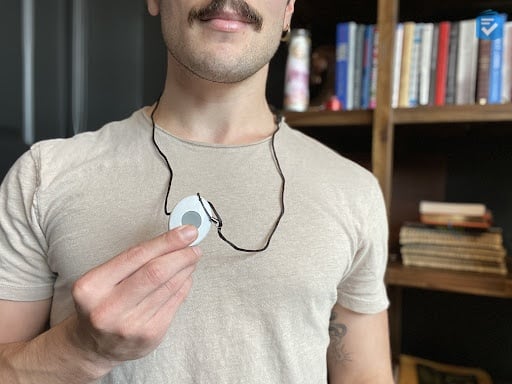
Mobile medical alert systems are a great choice for those who want the ability to call for help while on the go. These portable devices use a cellular connection and include a two-way speaker and a help button, offering the same level of protection as in-home systems in a travel-friendly form. All mobile medical alerts are GPS-enabled, allowing monitoring staff and loved ones to locate a user while their device is turned on.
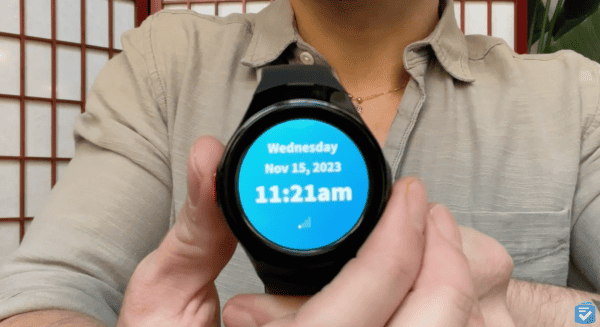
Medical Alert Watches
How to choose a medical alert system
If you're interested in purchasing a medical alert system, here are some questions you should consider.
In-home or mobile?
Medical alert systems can be broken down into two categories: systems for use in the home and systems for use outside.
In-home systems: In-home systems connect through either a landline or cellular connection. When you press your help button, which you'll wear as either a wristband or pendant, you'll generally be connected to the monitoring center via the base station. In-home systems are best suited for people who spend most of their time indoors.
Mobile systems: Mobile systems connect through cellular service, allowing you to travel just about anywhere with adequate service. Most often worn as a pendant, the systems provide the same security and peace of mind as in-home models, but with a greater range. The systems are more expensive, generally, and are best for active seniors who leave their homes often.
What are your monitoring needs?
Each of the systems mentioned here comes with some form of 24/7 professional monitoring, but some offer additional features suited to individual needs.
Caregiver apps and platforms make it easier for family members and caregivers to stay connected and informed. They can track the user's location, monitor activity, and confirm whether the device is being worn. Through the app, loved ones can even keep an eye on system metrics like home temperature and any emergency alerts triggered by the device.
What is automatic fall detection?

Automatic fall detection is a medical alert feature that uses motion-sensing technology, often accelerometers, to detect when a user falls and automatically contact a monitoring center without requiring the user to press a button.
This feature can be especially helpful when a fall leaves someone unconscious, disoriented, or unable to reach their help button. Fall detection is not 100 percent accurate, and false alarms can occur, but we still recommend it for added peace of mind, particularly for older adults with mobility issues.
Do you want fall detection?
Most medical alert systems offer automatic fall detection, which costs between $5 and $15 extra per month. It may be tempting to omit the feature to save money, but we think it's essential and could even save your life.
Since falls are a leading cause of injury for those ages 65 or older,3 we always recommend spending the extra money on the feature.
Top considerations when comparison shopping
- Range: Mobile systems generally offer a greater range than in-home systems and are best suited for seniors who spend a lot of time away from their residence.
- Fall detection: Although it can cost an additional monthly fee — typically ranging from $10 to $15 among our picks — we highly recommend this feature, particularly for those with mobility issues.
- Monthly fees: For seniors on a tight budget, Lively and MobileHelp offer some of the most affordable medical alert systems, with starting prices at $24.99 and $25.95, respectively.
- Fastest response times: Medical Guardian was the fastest at 8 seconds, compared to the slowest at 28 seconds with Medical Alert.
- Monitoring: All of our top medical alert providers offer 24/7 monitoring with no long-term contracts.
Our Methodology
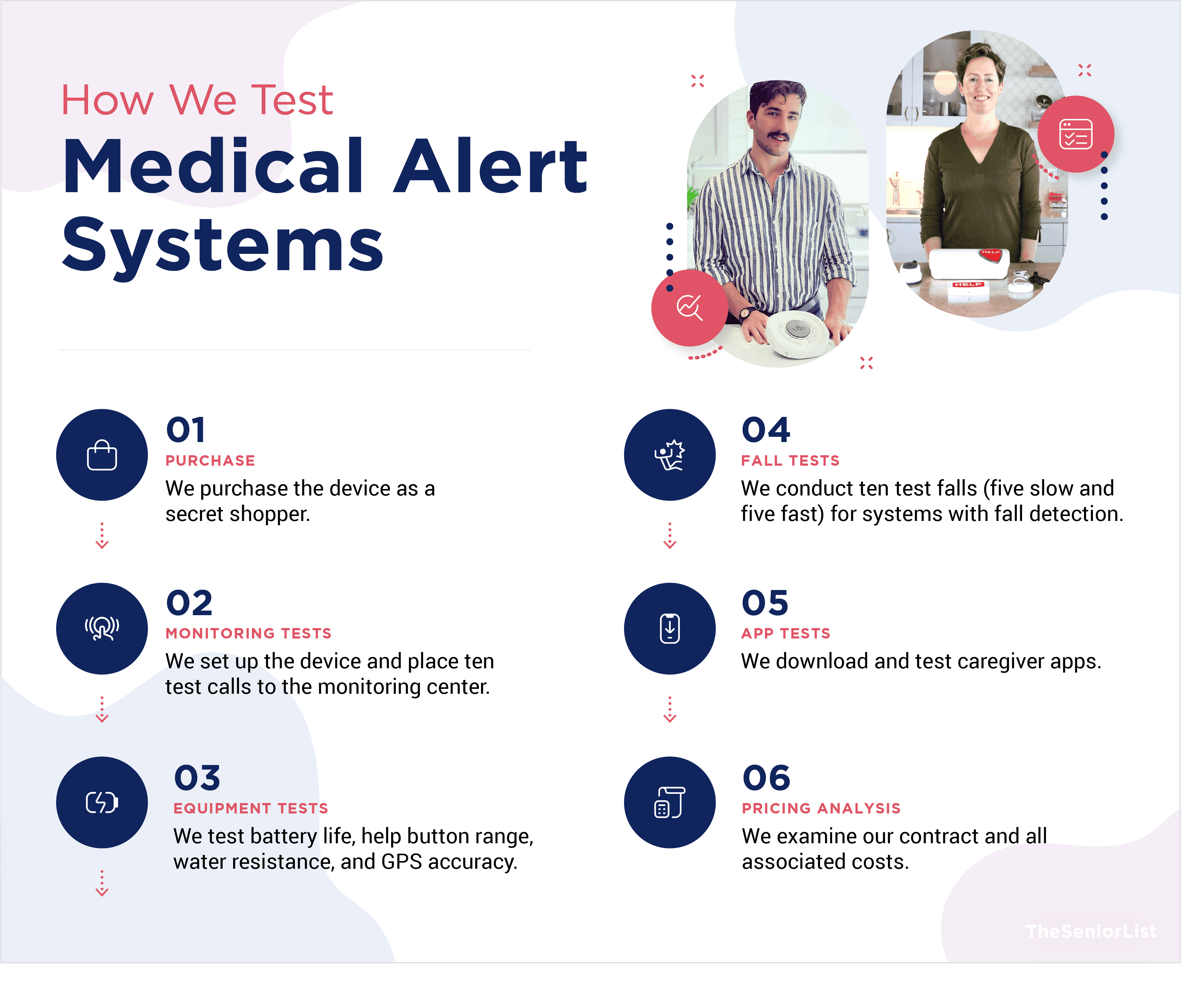
Most medical alert companies sell a variety of systems, including in-home systems, mobile systems, and smartwatches. Each device has unique features, but they all offer the same basic function: connecting a user to help during an emergency. With that in mind, we evaluated every medical alert system using the criteria below.
Response times: We conducted 10 test calls for each system, counted how long it took to receive a response, and calculated an average response time.
Ease of use: It's essential that a user can successfully activate their system during an emergency, so we evaluated each device's design with simplicity at the forefront.
Customer care: The human touch is key to caregiving, so medical alert companies must offer impeccable customer service, from the agents at their monitoring centers to their support personnel.
Affordable pricing: Most medical alert systems cost between $25 and $40 per month, and all the systems on this list fall within that range.
Flexible contracts: We included only companies that allowed us to subscribe monthly and cancel anytime.
Extra features: In recent years, medical alert systems have incorporated voice commands, automatic fall detection, and caregiver portals that allow loved ones to communicate with a system from afar. Not everyone needs all those features, but we factored them into the rankings.
Why trust us
TheSeniorList team of caregivers, experts, and healthcare professionals conducted over 5,000 hours of research and testing to recommend the most reliable brands and devices. During the process, our team:
- Tested 50 medical alert devices from 15 brands
- Surveyed 1,250 seniors and caregivers in our medical alert system usage survey
- Consulted with nurses, EMTs, and caregivers who are experts at caring for older adults
- Published dozens of videos that demonstrate our medical alert system testing
- Evaluated verified customer reviews of medical alert companies from the Better Business Bureau
How we tested
- 10 test calls per system
- 50 devices
- 1,250 seniors surveyed
Bottom line
Is Bay Alarm Medical the best medical alert system for seniors? We think so. But it's definitely not the only great medical alert system provider.
Medical Alert offers the best caregiver app, Medical Guardian has the fastest response times, and ADT has some of the best in-home systems. Lively has the best options for caregivers, MobileHelp is among the best for those on a budget, and Lifeline is good for the simplicity of their systems. Still, we think Bay Alarm Medical is the best all-around provider, and their systems work well for seniors who need help in and out of the home.
Frequently Asked Questions
-
Which medical alert system has the fastest response time?
Medical Guardian has the fastest response time of any provider we tested, averaging eight seconds per call. That was followed by Lifeline at 12 seconds, Lively at 13 seconds, and ADT at 14 seconds.
-
How much do medical alert systems cost per month?
Medical alert systems generally cost between $25 and $50 per month, depending on the provider, device type, and features included. Among our top picks, starting prices range from $24.99 per month for Lively to $34.95 per month for Lifeline.
-
Does Medicare pay for medical alert systems?
No, Original Medicare (Parts A and B) does not cover medical alert systems because they are not classified as durable medical equipment. Some Medicare Advantage (Part C) plans or Medicaid programs may offer partial coverage, but availability varies by plan and location. It’s worth calling your plan directly to ask what, if anything, is covered.