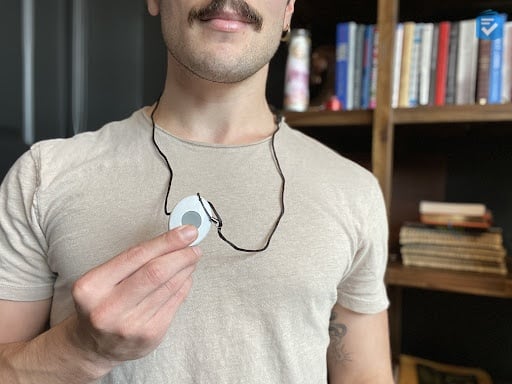
MobileHelp Medical Alert Review

Medical alert systems can be a fantastic tool to help older adults remain safe and healthy as they age in place. Modern medical alert systems have powerful base units and mobile devices that enable two-way communication with trained response agents who can send help in minutes. Mobile devices are more discreet and comfortable than ever, and many enable GPS tracking so caregivers are alerted in an emergency.
With so many different brands, however, it can feel daunting trying to figure out which is the most reliable and affordable system for you. In our extensive market testing, we found that MobileHelp is one of our favorite medical alert systems in terms of cost, ease of use, and crucially important emergency response times. Keep reading to learn more about what MobileHelp has to offer, including costs, accompanying apps and add-ons, and fall-detection device capability.
MobileHelp: Key Findings
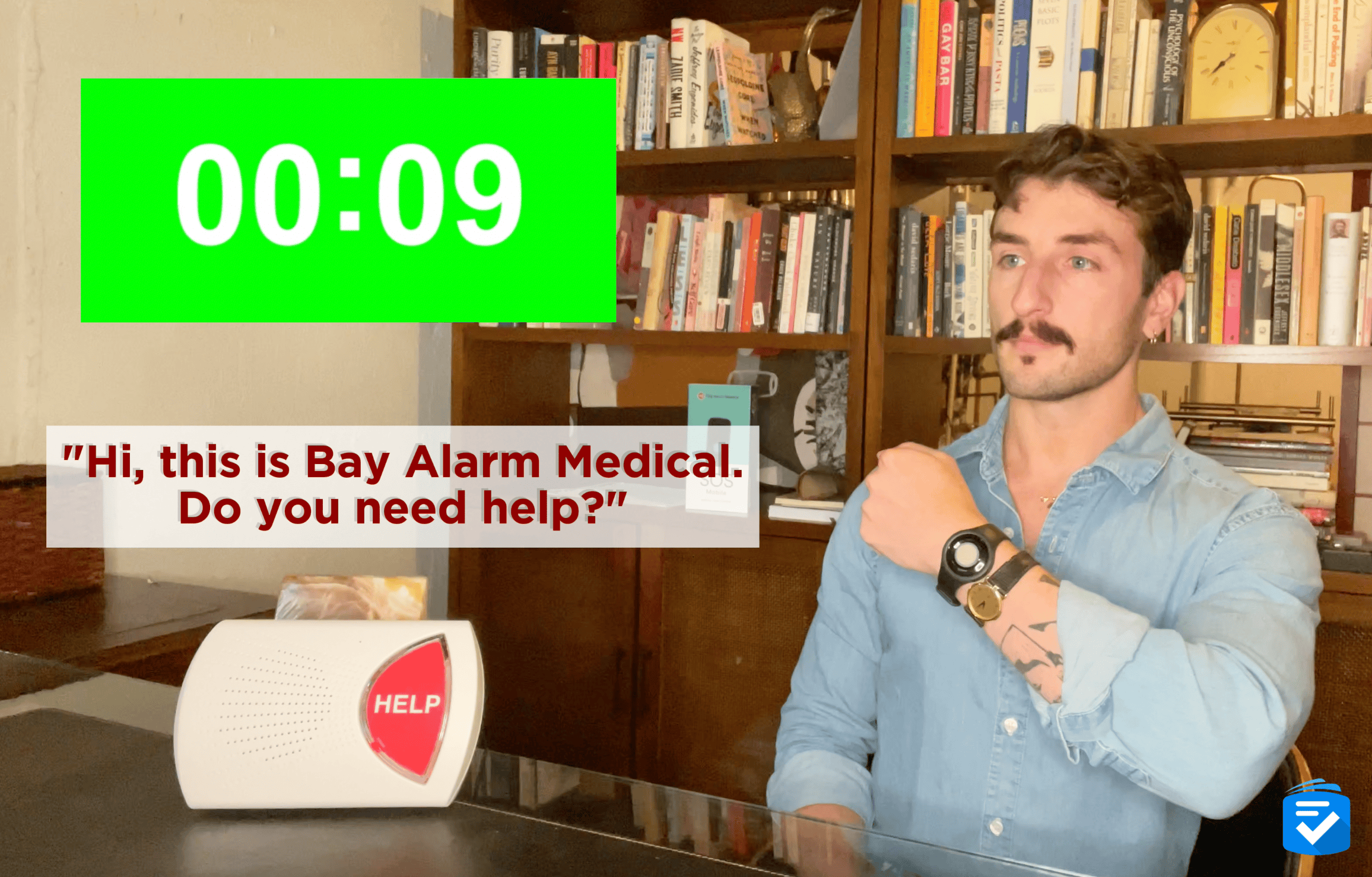
- In our series of 10 test calls, MobileHelp systems responded in an average of 26 seconds.
- MobileHelp systems start at $29.95 per month for their in-home systems and $41.95 for their mobile unit with GPS.
- The company's help buttons are water-resistant, so users can take them into the shower — a frequent site of falls.
Pro Tip: While MobileHelp's response times are fast, they're not the fastest. To see which medical alert devices answered our calls in under 20 seconds, read our guide to this year's best medical alert systems.
Why Trust Us?
Our team of caregivers, experts, and health care professionals conducted extensive in-depth research and testing. The results helped us recommend the most reliable brands and devices. In this process, our team:
- Tested dozens of medical alert devices from leading brands.
- Surveyed seniors and caregivers on medical alert system usage.
- Consulted with nurses, EMTs, and caregivers who are experts at caring for older adults.
- Published dozens of videos that demonstrate our medical alert system testing.
- Evaluated verified customer reviews of medical alert companies from the Better Business Bureau.
- Continuously monitors developments in the world of medical alert systems and revises our findings accordingly.
How We Tested MobileHelp
MobileHelp currently sells three different systems. For the purposes of this test, we purchased their in-home MobileHelp Classic system. We evaluated this unit based on the following criteria:
- Response times: We placed 10 test calls and calculated the average response time.
- Ease of use: Through testing and design analysis, we ensured that it was easy to use, particularly for those with visual impairments and manual dexterity issues.
- Customer care: We contacted MobileHelp's customer care teams and monitoring agents and spoke to them at length to make sure they offer adequate support.
- Affordable pricing: We examined the costs of all MobileHelp systems and compared them to similar systems from other companies.
- Flexible contracts: We read the fine print of our MobileHelp service agreement to ensure there were no unexpected fees or obligations.
- Extra features: In addition to conducting test calls, we also tested MobileHelp’s fall detection, water-resistance, in-home range, GPS, and caregiver connectivity features.
Pros and Cons of MobileHelp
MobileHelp Pros
- Advanced technology for mobile unit: Their latest MobileHelp, Elite, features location-assisted GPS + Wi-Fi and 24/7 monitoring, in addition to advanced fall detection technology.
- Flexible contracts: You can choose to pay for MobileHelp monthly, quarterly, or annually, and no long-term contracts are required.
- Competitive monthly rates: With prices starting at $29.95, MobileHelp remains one of the more affordable medical alert systems.
- Caregiver tracking: MobileHelp offers a caregiver portal, which allows you to keep track of a system from afar.
- Wall buttons: For $2.99 per month, you can add wall-mounted help buttons to your MobileHelp system. We recommend placing these in stairwells and bathrooms.
MobileHelp Cons
- No smartwatch option: MobileHelp no longer offers a smartwatch medical alert system.
- No free warranty: Because your devices are leased, MobileHelp doesn't offer an equipment warranty,but you can avoid replacement fees and protect your system by purchasing a protection plan for $6.99 per month.
- Subpar fall detection: While MobileHelp systems detected a majority of our falls, their fall detection was not as accurate as the systems from Medical Guardian.

Alternatives to MobileHelp
While MobileHelp systems are among the most affordable, they took nearly 30 seconds to connect us to help. The following three brands had average response times of under 20 seconds.



MobileHelp Systems Compared
MobileHelp offers three systems that can protect users both in and out of the home. Here is an overview of each:
- Classic Landline: This in-home system functions much the same way as the MobileHelp Wired Home, but it operates through a landline connection instead of a cellular connection. Starting cost: $29.95 per month; for quarterly, it’s $89.85 and $329.45 annually.
- Wired Home: This basic in-home system uses a base unit with an impressive 1,400-foot range and a waterproof help button to contact emergency monitoring services. For an extra $10 per month, it can also be paired with MobileHelp's fall-detection button. Starting cost: $29.95 per month; quarterly, $89.85; and annually, $329.45.
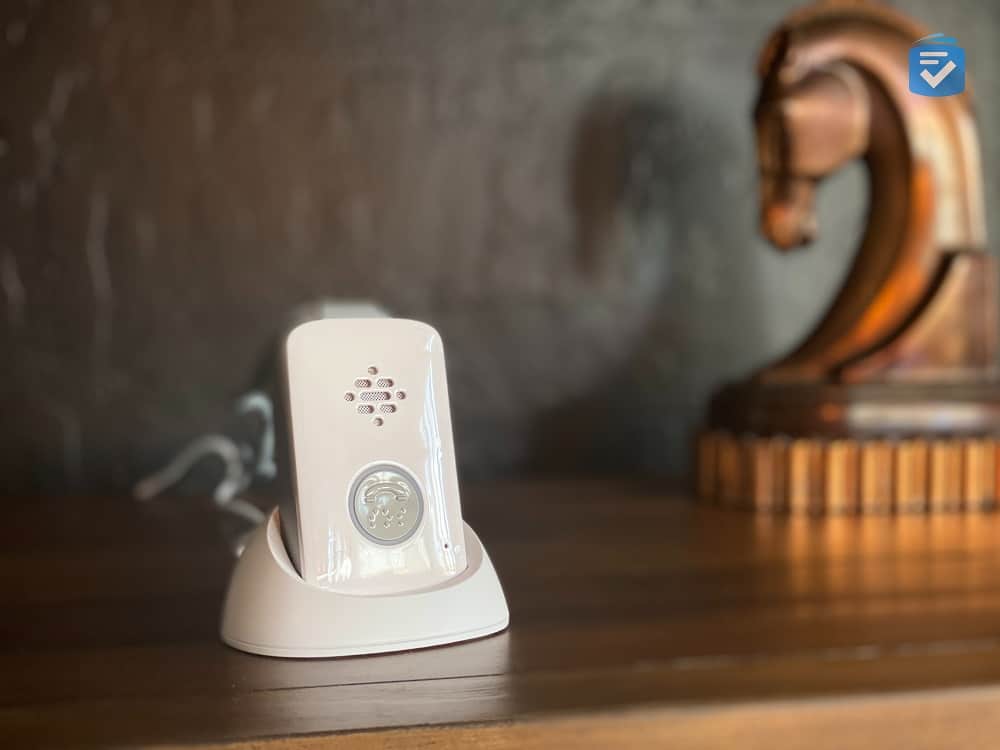
- Elite: The company’s newest and most advanced mobile medical alert device weighs just 1.5” x 2.6.” Its compact design is small enough to wear discreetly and comes in black, silver and white. It also features a one-touch SOS button, advanced fall detection, and GPS+ Wi-Fi location tracking. Starting cost: $41.95; quarterly: $119.85; annually: $417.45.
Using MobileHelp Medical Alert System

Credit: MobileHelp
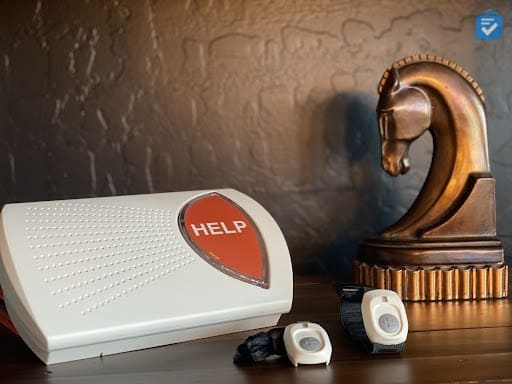
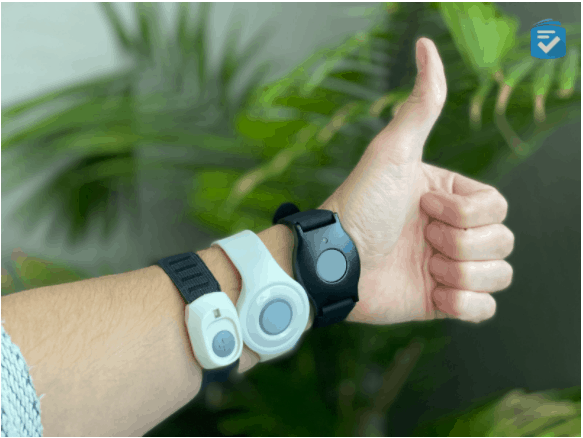
I chose the MobileHelp Classic in-home package, which came with an in-home base station, my choice of a wearable pendant help button, an optional fall detection pendant (for an additional $10 per month) and instruction manual.
MobileHelp Installation
To install my MobileHelp systems, I plugged the base unit's power cord into an outlet, turned it on, and held down the test button. After holding the test button for six seconds, the unit announced, “User auto test.” I was then instructed to press the help button on my pendant. The base unit responded with, “Test call sent to the emergency response center,” followed by, “Thank you for testing your device.” Pretty easy! Although I have a landline in my house, I didn't need to use it since both devices operate on AT&T's cellular network.
Testing MobileHelp
To use the pendant, I had to stay within 1,400 feet of the base unit — one of the longest ranges I've seen from an at-home unit. It should work for the vast majority of homes. But if you have an extremely large house, MobileHelp also offers cellular options that work everywhere.
After pressing the button, the base unit announced, “Call in progress,” and then, “Please stand by for the operator.” A few seconds later, an emergency operator answered through the base unit, and I told him it was just a test call. I was confident he'd coordinate the appropriate response with emergency responders if it were an actual emergency.
To test my fall-detection pendant, I simulated a fall by dropping the button from about 3 feet off the ground. About 20 seconds later, the button beeped and flashed yellow, prompting the base unit to announce, “Fall detected. Press and hold the button to cancel.” I wanted to cancel, so I pressed and held the button until it flashed green — saving the emergency operator's precious time. It's reassuring to know MobileHelp's fall detection works well, although like any fall-detection pendant, it won't accurately detect 100 percent of falls.
MobileHelp Connect
Another feature I was excited to try was the MobileHelp Connect caregiver portal. Via the portal, caregivers can keep track of a system's location, activity, and alert usage. When connected to my system's fall-detection pendant, for example, my partner could log on to our caregiver portal to track my movement and any inactivity periods. This feature would be especially useful for those caring for people from afar.
MobileHelp Medical Alert Systems Pricing
Like most medical alert systems, I didn't have to pay any up-front costs for MobileHelp. Instead, I rented the equipment and paid for professional monitoring with monthly subscription fees. For my MobileHelp Classic, I paid $29.95 per month plus an additional $10 monthly for fall detection.
The cost of each system varies, but you’ll get one month of service for free if you sign up for the annual plan and pay up front. If you prefer, you can make monthly or quarterly payments at the regular rate.
For more information on MobileHelp's systems and their costs, take a look at my rundown of MobileHelp costs.
MobileHelp vs. Life Alert
MobileHelp and Life Alert essentially provide the same products services: in-home and mobile medical alert systems. At the touch of a button, a system from either company will connect you with trained monitoring agents.
That said, in our tests, Life Alert took far longer to pick up the calls. On average, MobileHelp answered our calls in under 30 seconds. Life Alert, however, usually took two minutes or longer to answer the calls, which is far longer than average.
Additionally, Life Alert costs considerably more than MobileHelp: Its systems start at $49.95 per month and the company charges activation fees. MobileHelp products start at $29.95 per month, with no activation fees and free shipping and a free lockbox with annual plans. Life Alert also locks you into a minimum three-year contract; by contrast, you’re free to cancel service with MobileHelp after three months.
To read more about our experience with Life Alert, read our Life Alert review.
Compare MobileHelp to Other Brands
The Bottom Line
While testing my system, I found that MobileHelp provides quality devices at affordable prices. I feel wholly confident that MobileHelp devices can help my clients and loved ones age safely in their homes. MobileHelp is easily one of the best medical alert systems on the market, with no complicated long-term contracts and emergency response times aligned with industry standards.
I’d recommend MobileHelp if you want:
- Affordable in-home systems: With in-home systems starting as low as $27.95 per month, MobileHelp is one of the most affordable medical alert options available.
- Detailed caregiver tracking: With MobileHelp Connect, the system's caregiver portal, you can easily monitor a loved one's system from your computer or smartphone.
- No long-term contracts: Life Alert costs $49.95+ per month and requires a three-year minimum contract. MobileHelp, however, allows you to subscribe on a monthly basis.
I wouldn’t recommend MobileHelp if you want:
- A smartwatch component: For seniors who prefer sporting the sleek design of a smartwatch, this may be disappointing for some. If you’re interested in exploring smartwatches that offer health monitoring benefits, please check out our Best Smartwatches for Seniors.
Frequently Asked Questions
-
What medical alert systems can I buy from MobileHelp?
MobileHelp offers three different medical alert systems: the Classic Landline, Wired Home, and their Elite mobile unit.
-
Can I bring my MobileHelp pendant in the shower?
Yes, all of MobileHelp’s pendants are waterproof, so you can bring them into the shower.
-
How much does MobileHelp cost per month?
Monthly subscription costs with MobileHelp start at $29.95 for equipment and monitoring services. Add-ons, such as fall-detection buttons and extra wall help buttons will increase monthly fees.
-
How can I get help with my MobileHelp medical alert system?
To get assistance from MobileHelp, check out its online help center, fill out a form on its website to get a response via email, or call the company directly at 1-800-809-9664.
-
Can I speak to an operator through the pendant or wall help buttons?
No, two-way communication is only enabled through MobileHelp’s base units and the Elite mobile unit.