Best Speakerphone Medical Alert Systems of 2026

Key Findings
- Bay Alarm Medical systems have powerful speakerphones and fast response times, all while costing less than average.
- The Lively Mobile2’s speakerphone was louder than that of any other mobile system we tested.
- Medical Guardian systems, while slightly more costly, have the fastest response times of any brand we’ve tested.

Why Trust TheSeniorList
At TheSeniorList, our team of caregivers, experts, and healthcare professionals conducted over 5,000 hours of in-depth research and testing to recommend the most reliable brands and devices. In this process, our team:
- Tested 50 medical alert devices from 15 different brands.
- Surveyed 1,250 seniors and caregivers on medical alert system usage.
- Consulted with nurses, EMTs, and caregivers who are experts at caring for older adults.
- Published dozens of videos that demonstrate our medical alert system testing.
- Evaluated verified customer reviews of medical alert companies from the Better Business Bureau.
How We Test Medical Alert Systems
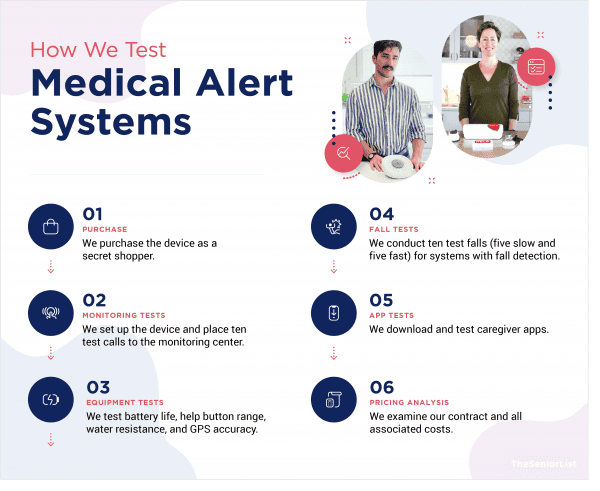
Nowadays, most medical alert providers have some form of a speakerphone. Here is what I looked for when choosing my favorites:
- Size: Help buttons should be small and light enough to be comfortable to wear throughout the day.
- Long range: With home systems, you have to be within a certain distance of the base station in order for your button to stay connected to the monitoring center.
- Affordability: Every system on this list can be purchased for less than $50 per month.
- Speakerphone volume: For people experiencing hearing loss, medical alert systems need speakers loud enough to hear on the other side of the house. All medical alert systems include speakerphones, but I prioritized the loudest ones for this article.
If you’re looking for my favorite devices overall, then you should check out my list of the best medical alert systems for seniors.
The Best Speakerphone Medical Alert Systems
- Bay Alarm Medical : Waterproof Help Buttons
- Lively : All-in-One Mobile System
- Medical Guardian : Shortest Response Time
1. Bay Alarm Medical - Waterproof Help Buttons
855-675-0754
What We Like Most:
- Waterproof help button
- Free equipment
- Fast response times
- Loud speakerphone
Overview
Bay Alarm Medical offers four different medical alert systems, including a home system, mobile options, and a medical alert smartwatch. No matter which one you choose, you’ll get a speaker you can hear loud and clear.
Standout Features
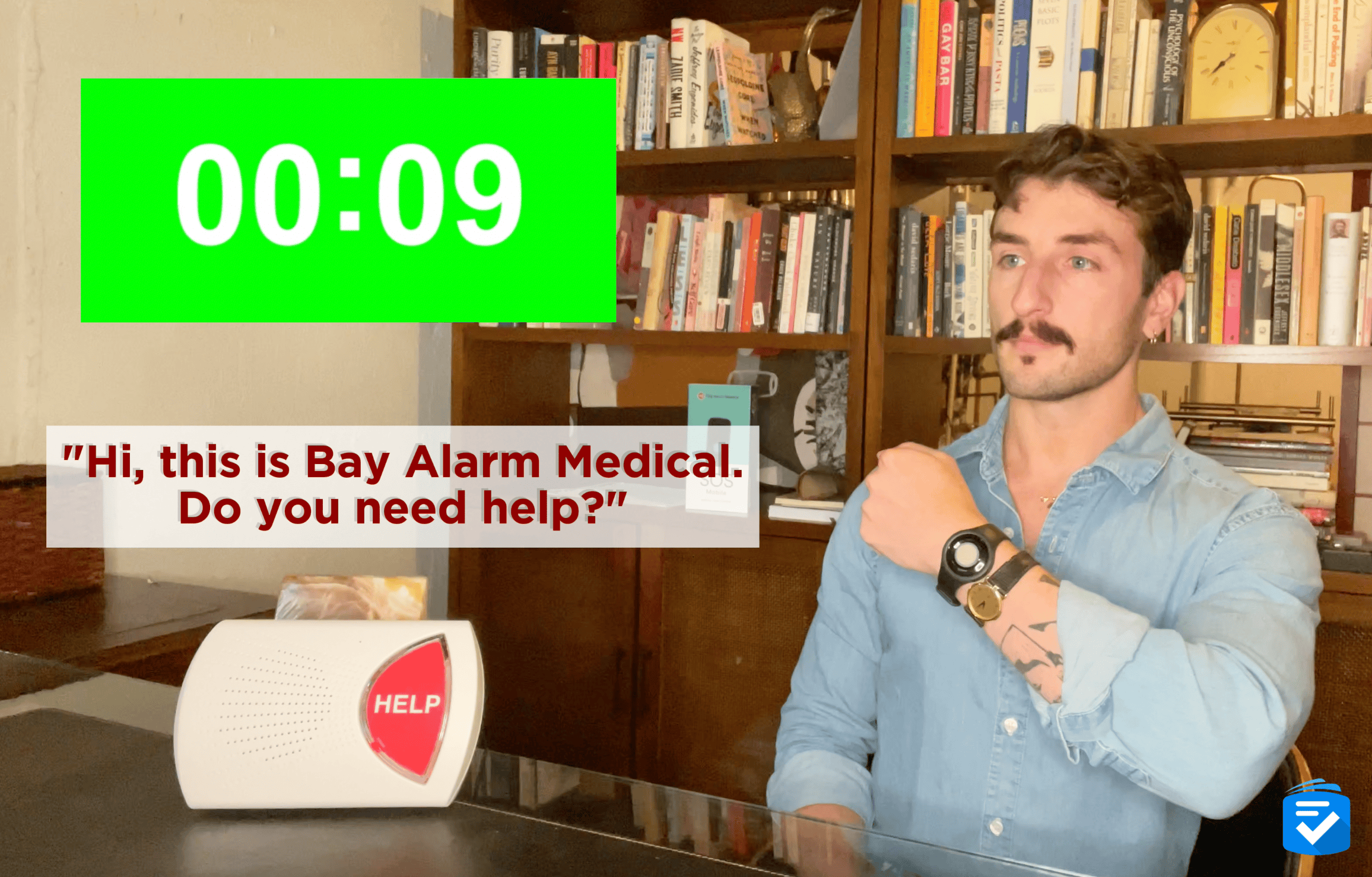
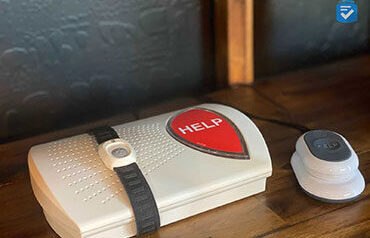
I bought the SOS Home, an in-home system that includes a base station and a help button. It was functional so long as I was within 1,000 feet of the base station. Much to my delight, I could hear the speakerphone even at that maximum distance. Moreover, when I staged a fall, I received a response quickly. Compared to some other systems like Life Alert, which can take longer to respond, this is pretty good. After all, every second counts in an emergency.
Along with my physical system, I got access to the free Bay Alarm Medical app, which let me see my help button’s battery level and location. That’s helpful if you need spouse monitoring or monitoring for another loved one. Plus, you won’t have to pay any more money each month to monitor more than one person. I was able to add an automatic fall detection button as well, which meant I didn’t need to push a button to get help.
Pricing
Bay Alarm Medical prices are pretty low, especially because the company doesn’t charge for the SOS Home itself. (I only paid $10 per month for the extra fall detection add-on.) Rather, prices start at $27.95 a month for the landline in-home system, $34.95 for the cellular in-home system, or $44.95 for the cellular in-home system with fall detection.
All contracts are monthly, there are no activation fees, and I got to try my system for 30 days. If I hadn’t liked it, I could’ve returned it and received a full refund. This is not the case for every company; for example, Medical Guardian lacks a trial period altogether.
Drawbacks
With other systems, I didn’t have to wear a separate pendant for fall detection. With the Lively Mobile2, fall detection is built into the main system. If you don’t want to wear extra devices, then I recommend checking out Lively.
Our Verdict
If you want a landline or cellular system and are okay with paying a bit extra for fall detection, the SOS Home will be the system for you. To learn more about Bay Alarm Medical, read my hands-on Bay Alarm Medical review.
Pros
- No long-term contracts
- Mobile GPS tracking
- Caregiver features
- Affordable systems
Cons
- No built-in fall detection on home systems
- Poorly-rated Android app
2. Lively - All-in-One Mobile System

855-403-6340
What We Like Most:
- Built-in fall detection
- Long battery life
- 13-second response time
- Great caregiver tracking app
Overview
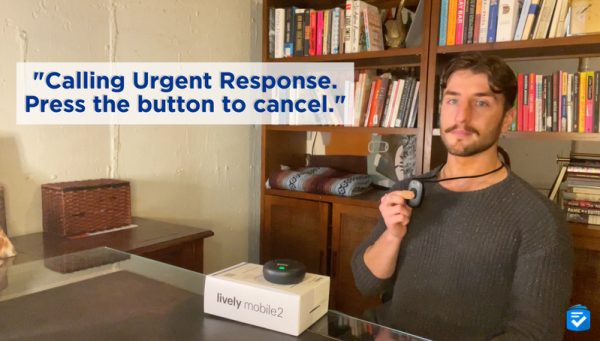
Offering mobile protection, a voluble speakerphone, and even fall detection––all in one compact device––the Lively Mobile2 is ideal for active users seeking protection wherever their travels take them.
Standout Features
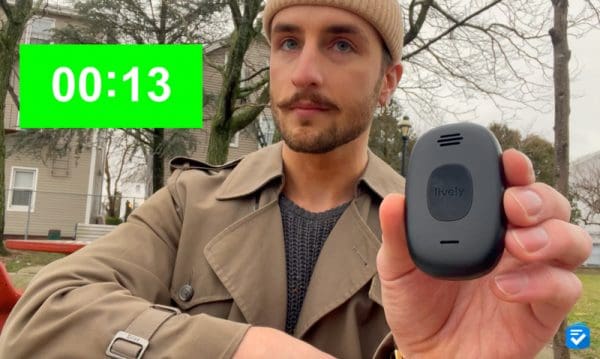
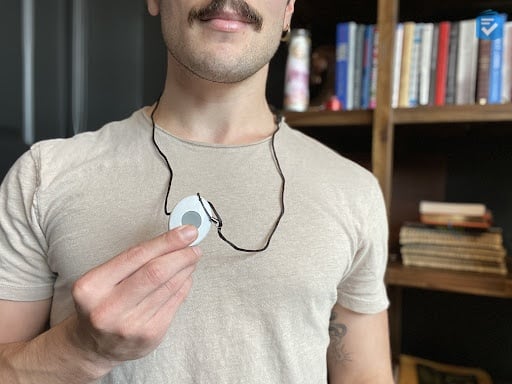
The first thing that impressed me about the Lively Mobile2 was its small size. When I wore it as a pendant or with the included belt clip, I found it was comfortable and hardly noticeable. The black color of this device also made it highly discreet.
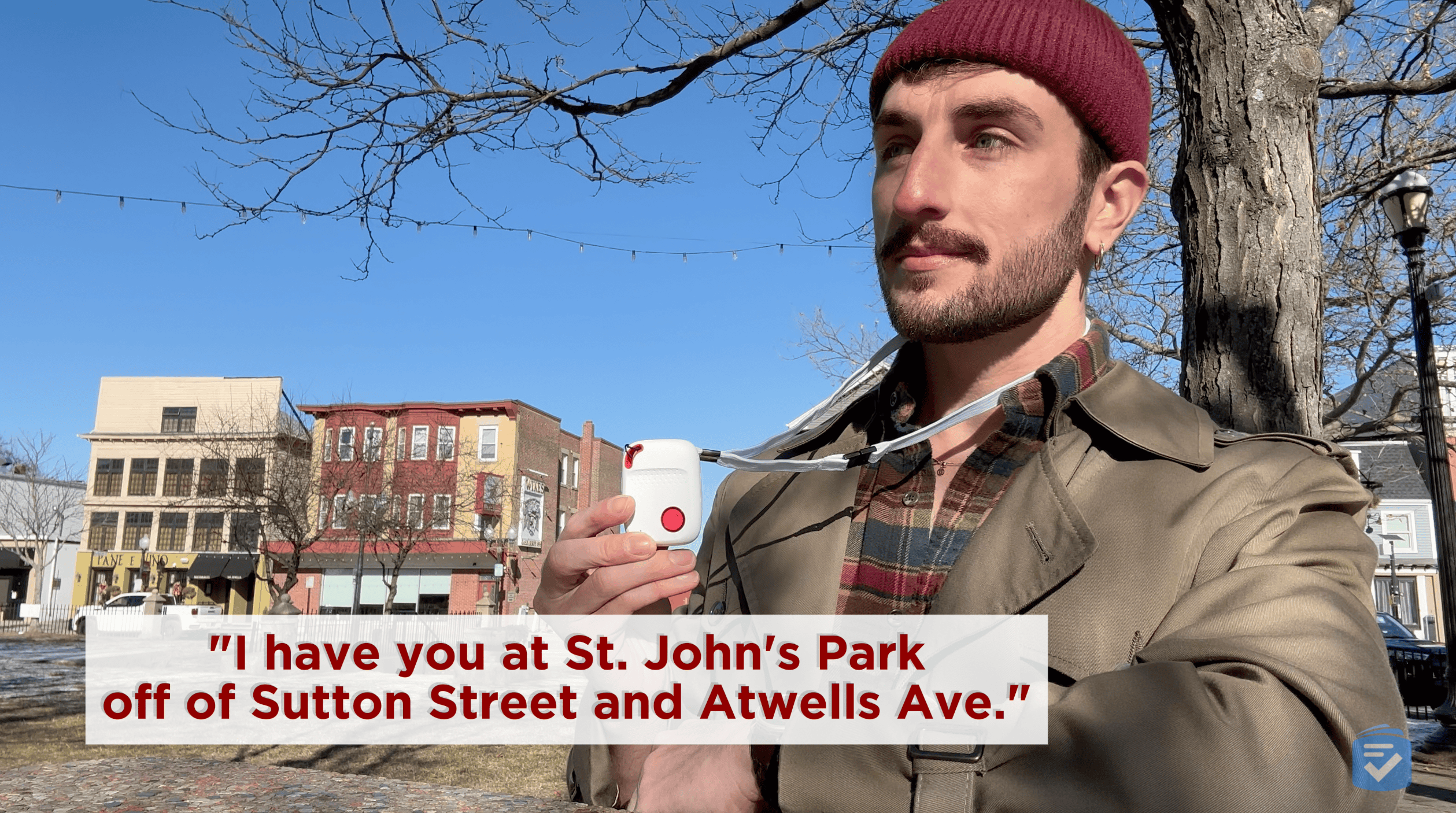
I found the Lively Mobile2’s speakerphone to be particularly voluble and clear. When I pressed the urgent response button, I got a response within 13 seconds, even faster than the SOS Home.
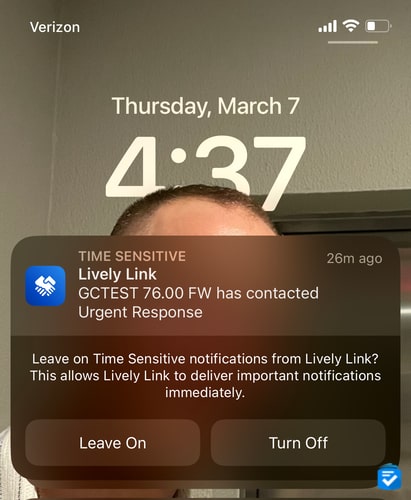
For caregiver tracking, I used the Lively Link app, probably the most user-friendly and functional medical alert app I’ve ever tested. It lets me see the GPS location of the Mobile2 as well as changes in the user’s daily activity, the device’s system status, and its battery level. Caregivers can speak to each other through the app; their loved ones can get push notifications if the user has an emergency. This makes it easy for caregivers to stay on top of someone’s health and wellness, even if they can’t be physically present.
Pricing
Lively Mobile2 prices start at $79.99 for the device itself, with monthly monitoring plans at $24.99 or $34.99. The higher-tier $39.99-per-month plan includes 24/7 access to an on-call nurse who can answer health questions, plus a care advocate to help meet health goals. Like Bay Alarm Medical, all of Lively’s contracts are monthly with no long-term commitment. However, Lively charges a one-time activation fee: $25 for online activation or $35 for phone activation. Lively offers a 30-day return policy and a one-year manufacturing warranty.
Drawbacks
Lively currently offers no home medical alert system, meaning a user will have to remember to charge this device daily for it to function. If a home system, which plugs into a wall, sounds more useful for your loved one, then I recommend trying a system from Bay Alarm Medical or Medical Guardian.
>>Read more: Alexa Review
Our Verdict
Lively offers a mobile system with a powerful speaker in the Mobile2. To learn more about my experience with this system, read my Lively Mobile2 review.
Pros
- Fully waterproof
- No contracts or cancellation fees
- Loud two-way speaker
- Optional nurse on-call feature
Cons
- One-time device fees
- Can only be worn as a pendant
3. Medical Guardian - Fastest Response Time
877-947-4512
What We Like Most:
- 8-second response times
- 1,400-foot range
- 32-hour battery backup
- Caregiver tracking
Overview
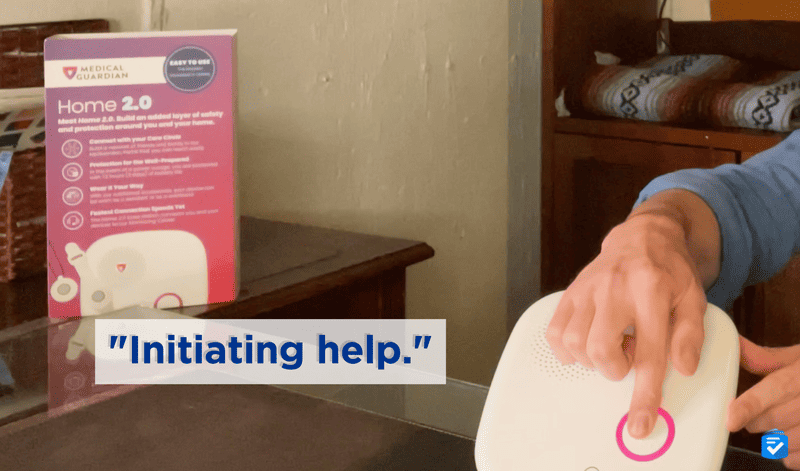
I’ve tested out all of Medical Guardian’s systems, three mobile and two in-home, to be exact. No matter which one I tested, response times were as little as eight seconds, the fastest I’ve ever seen.
Standout Features
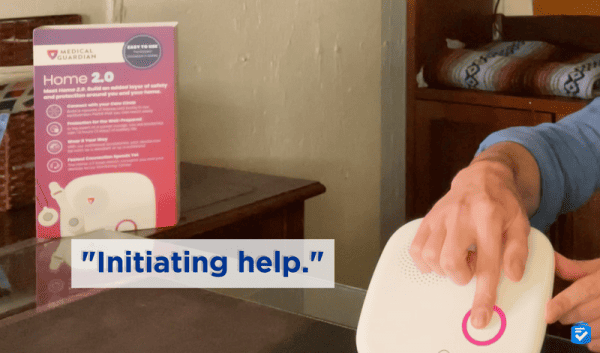
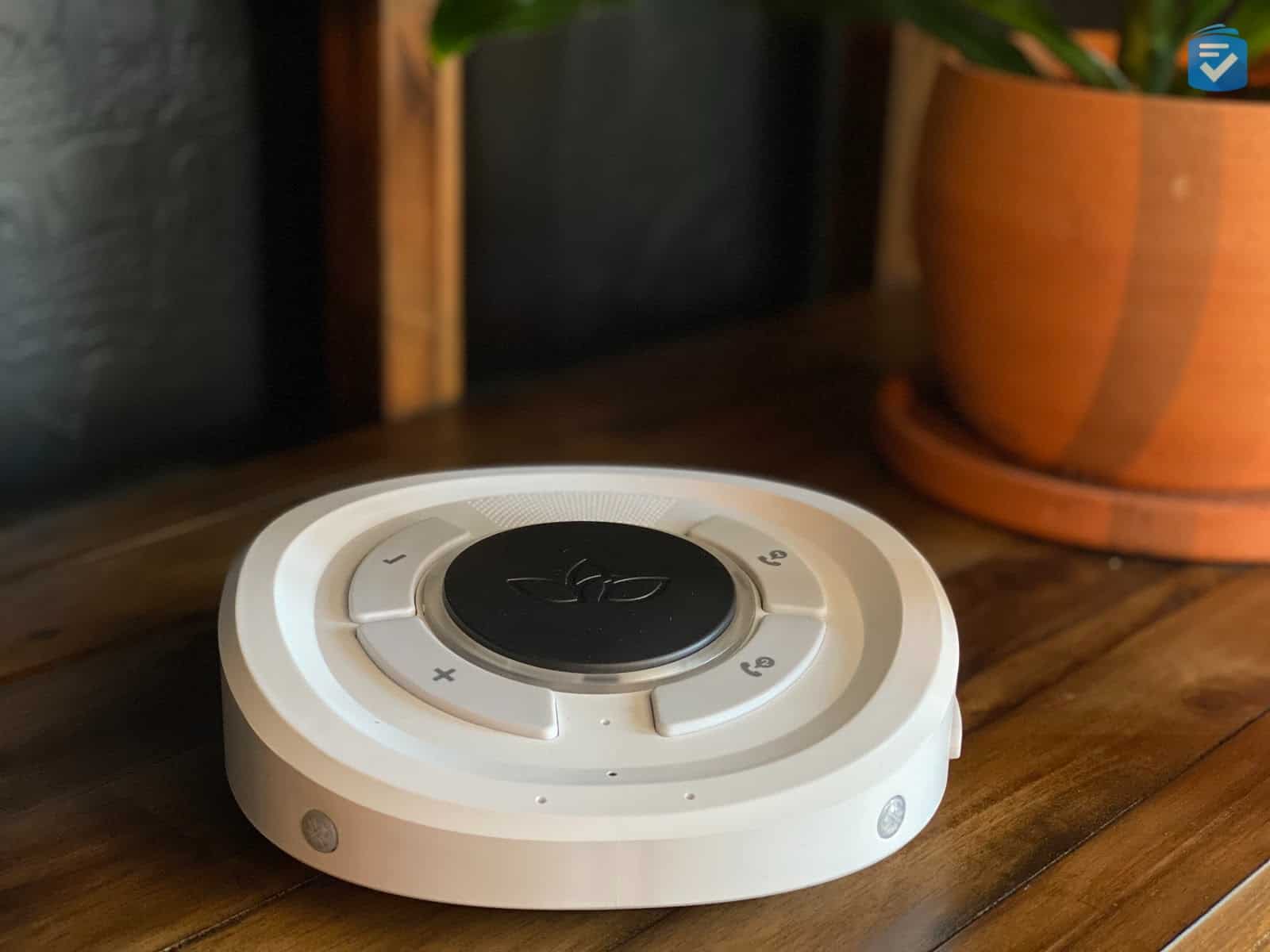
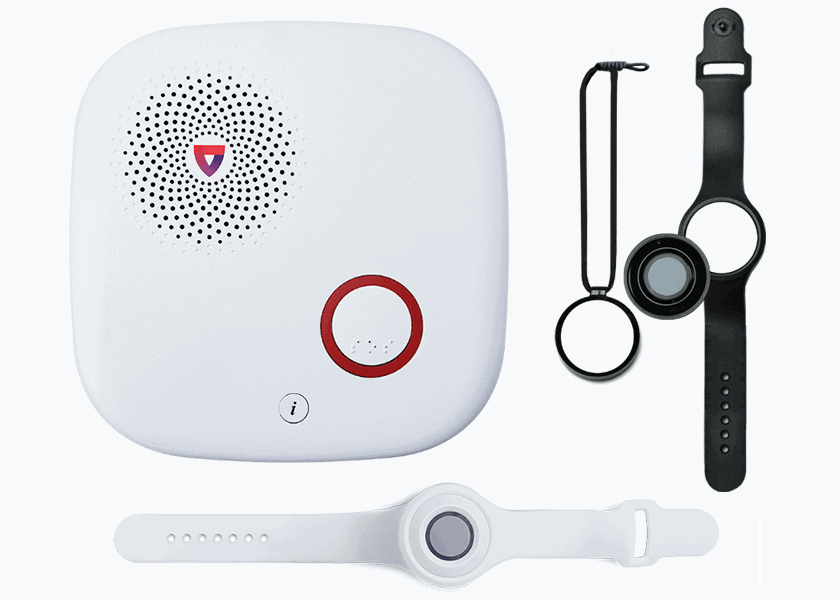
For a loud speakerphone you can hear at the other side of the house, I recommend the MGHome Cellular, a cellular, in-home system with a long, 1,400-foot range. When I did a test fall, I got a response in less than 10 seconds.
The system consists of a hub and a pendant, which you can wear as a bracelet or a necklace. (I chose the necklace option.) While the hub connected to an outlet in my living room, if my power went off, it would have stayed on for an additional 32 hours due to its backup battery. This gave me great peace of mind.
I tracked my device through the MyMedicalGuardian app, which let me see its battery status, location, current system status, and connectivity history. If you are a caregiver, this app will give you the assurance that the device is on, connected, and charged.
Pricing
Medical Guardian prices, while still reasonable, are the highest on this list. I paid $149.95 for the MGHome Cellular equipment and then $38.95 per month for monitoring. Fall detection costs an extra $10 per month, although it doesn’t require a separate device like with Bay Alarm Medical.
Now, one key difference of note is that, unlike Lively and Bay Alarm Medical, Medical Guardian does not offer a trial period. Commitment-phobes, beware; once you’ve purchased this equipment, it’s yours.
Drawbacks
While Lively and Bay Alarm Medical’s help buttons are fully waterproof, Medical Guardian’s are only water-resistant. While it can repel water for a short time, it can’t be submerged for longer periods of time. When I was taking a bath, I had to have it nearby or pay $2.99 a month more for a wall-mounted help button.
Our Verdict
For the fastest response times, arguably the most important aspect of a medical alert system, choose the MGHome Cellular. To learn more about this company, read my full review of Medical Guardian.
Pros
- Fastest response times
- Optional fall detection
- 32-hour battery backup
- 1,400-foot range
Cons
- Water-resistant button
- Poorly-designed apps
Bottom Line
The best speakerphone medical alert systems can be heard from different floors of a home, especially if you have hearing loss. Hopefully, one of these medical alert systems meets your needs. If not, check out one of my list of the best voice-activated medical alert systems for more potentially life-saving options.
Frequently Asked Questions
-
What is the loudest medical alert system for seniors with hearing loss?
The Lively Mobile2 has the loudest speakerphone of any mobile medical alert system we tested. For in-home systems, Bay Alarm Medical’s SOS Home offers excellent speaker volume that can be heard even at the maximum 1,000-foot range. Medical Guardian’s MGHome Cellular also features a powerful speakerphone with an impressive 1,400-foot range, making it ideal for larger homes.
-
How much do speakerphone medical alert systems cost?
Most speakerphone medical alert systems cost between $25 and $50 per month. Bay Alarm Medical starts at $27.95 monthly with no equipment fees. Lively charges $79.99 for the device plus $24.99 to $34.99 monthly. Medical Guardian costs $149.95 upfront and $38.95 per month. Fall detection typically adds $10 extra per month across brands.
-
Can I use a medical alert system speakerphone if I'm hard of hearing?
Yes, many medical alert systems are designed with loud speakerphones specifically for people with hearing loss. Bay Alarm Medical, Lively, and Medical Guardian all feature voluble speakers that can be heard across large homes.
-
Do medical alert systems work without a landline?
Yes, all three systems on this list offer cellular options that work without a landline. Bay Alarm Medical’s cellular in-home system costs $34.95 monthly, while Medical Guardian’s MGHome Cellular is $38.95 per month. The Lively Mobile2 is entirely mobile and uses cellular networks for nationwide coverage, making it ideal for active seniors who want protection both at home and on the go.
-
What is the best medical alert system for someone who lives alone?
For someone living alone, Medical Guardian’s MGHome Cellular offers the fastest response times (8 seconds) and longest range (1,400 feet), ensuring help arrives quickly. Bay Alarm Medical is also excellent for solo seniors, featuring a loud speakerphone, 16-second response times, and affordable monthly rates starting at $27.95.